
Licencje Microsoft Office na Maca
Office for Mac licenses are the macOS editions of Microsoft Office suites and single apps. A Mac license does not activate on Windows, and a Windows license does not activate on a Mac.
- Sorry, this product cannot be purchased.
- 2
- 3
- 4
Buy Microsoft Office for Mac Licenses at SuperKeyStore
Office for Mac brings Word, Excel, PowerPoint, Outlook and OneNote to macOS as native apps, with the same document formats as the Windows versions. It is aimed at Mac owners who want to buy Office once rather than pay for Microsoft 365 every year. Students, freelancers and small offices can choose a full suite or a single app.
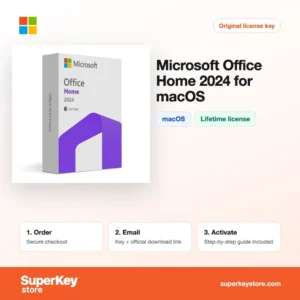
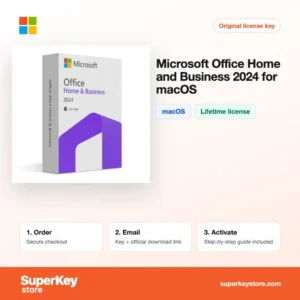
Current suites include Microsoft Office Home 2024 for macOS i Microsoft Office Home and Business 2024 for macOS, while Microsoft Excel 2024 for Mac suits buyers who need one program. Your product key and download instructions are emailed, usually within minutes.
Why buy an Office for Mac license?
A perpetual Office license for macOS has clear advantages for many Mac users:
- Pay once: Office 2024 and 2021 for Mac are one-time purchases with no monthly fee, and the apps keep working after you install them.
- Full compatibility: Documents in DOCX, XLSX and PPTX open the same way for colleagues on Windows, which avoids layout problems that other editors can cause.
- Native on Apple silicon: Current Office versions run natively on Macs with M-series chips and support macOS features such as Dark Mode.
- Outlook for business mail: Home and Business adds Outlook, which works with Exchange, Microsoft 365 and IMAP accounts.
- Commercial use rights: Home and Business editions allow use for business, while Home and Student or Home is intended for personal and household use.
What are the main features of Office for Mac?
The Mac editions contain the same core apps that offices worldwide rely on:
1. Word for documents
Word handles letters, reports and theses with styles, tables of contents, track changes and comments. Students and writers can exchange files with tutors and editors who use Windows.
2. Excel for data and calculations
Excel offers formulas, PivotTables, charts and conditional formatting, and the 2024 version adds dynamic arrays and newer functions such as XLOOKUP. Freelancers can keep budgets and invoices in one familiar tool.
3. PowerPoint for presentations
PowerPoint includes themes, transitions, Morph and presenter view. Teachers and sales staff can build slide decks that display identically on Mac and PC projectors.
4. Outlook for mail and calendars
Outlook, part of Home and Business and Standard, combines email, calendar and contacts. It connects to Exchange and Microsoft 365 accounts used by many companies.
5. OneNote for notes
OneNote organizes notes in notebooks, sections and pages with text, images and handwriting. It is free on Mac, and notebooks sync through OneDrive.
Which Office for Mac product is right for you?
For personal use, buy Office Home 2024 for macOS; for business work with Outlook, buy Home and Business 2024. Choose a single app if you only need Word, Excel or PowerPoint.
| Produkt | Best for | Platform | Apps |
|---|---|---|---|
| Microsoft Office Home 2024 for macOS | Students and home users | macOS | Word, Excel, PowerPoint, OneNote |
| Microsoft Office Home and Business 2024 for macOS | Freelancers and small businesses | macOS | Home apps plus Outlook |
| Office 2024 Home & Business | Users who may switch between Mac and PC | Windows and macOS | Home apps plus Outlook, lifetime |
| Office 2024 Standard for Mac | Organizations with volume needs | macOS | Word, Excel, PowerPoint, Outlook, OneNote |
| Microsoft Word 2024 for Mac | Writers who need one app | macOS | Word only |
Older suites such as Office Home and Student 2021 for Mac and the 2019 and 2016 editions remain available for older macOS versions.
What are the system requirements for Office for Mac?
Office 2024 for Mac needs one of the three most recent macOS versions, 4 GB of RAM and about 10 GB of disk space; older editions such as 2021 or 2019 support older macOS versions, so check each product's System Requirements tab.
| Komponent | Typical minimum for Office 2024 for Mac |
|---|---|
| System operacyjny | One of the three most recent macOS versions |
| Procesor | Intel processor or Apple silicon |
| Pamięć (RAM) | 4 GB |
| Miejsce na dysku | 10 GB, on a disk formatted as APFS or HFS+ |
| Other | Internet connection and a Microsoft account for activation; 1280 x 800 screen resolution |
How do you download and activate Office for Mac?
- Order: Pick the edition or single app and finish checkout.
- Read the email: The product key and setup steps arrive usually within minutes, or within 24 hours if a security check applies.
- Redeem and download: Redeem the key with your Microsoft account at Microsoft's official setup page, then download the installer.
- Sign in: Install Office, open any app and sign in with the same Microsoft account to activate it.
What happens to my Office for Mac license if I reinstall or format my computer?
Once redeemed, the license is stored in your Microsoft account. After reinstalling macOS, sign in at the Microsoft account services page, download Office again and sign in inside any Office app to activate it. You do not need to enter the product key a second time.
Can I move an Office for Mac license to a new PC or Mac?
You can move it to a new Mac, but not to a Windows PC, because Mac and Windows editions of Office are separate products. Sign out of Office on the old Mac, then install from your Microsoft account on the new one. Microsoft may ask you to confirm the transfer if the license was recently used on another device.
What if my Microsoft Office for Mac key does not work?
Email our support team with your order number and a screenshot of the activation error. We send a replacement key or a refund in line with the Polityka zwrotów.
Frequently asked questions about Office for Mac
Does an Office for Mac key work on Windows?
No, a Mac-only key activates only on macOS. The products listed for Mac and Windows are the exception.
Is Office 2024 for Mac a lifetime license?
Yes, it is a one-time purchase that does not expire. It receives security updates but not the new features added to Microsoft 365.
What is the difference between Office 2024 and Microsoft 365?
Office 2024 is bought once for one Mac. Microsoft 365 is a subscription with cloud storage, the latest features and installs on several devices.
Which macOS versions does Office 2024 support?
Office for Mac supports the current macOS release and the two before it. If your Mac runs an older system, an earlier edition such as 2021 or 2019 may fit better.
Can I install Office for Mac on two Macs?
Office Home and Home and Business 2024 licenses cover one Mac. Buy one license per computer, and keep the Microsoft account you used, since reinstalling on a new Mac goes through that account.
Does Office for Mac include Access or Publisher?
No, Access and Publisher have never been released for macOS. If you need them, you must use the Windows version of Office.
Can I use Office for Mac with iCloud Drive?
Yes, Word, Excel and PowerPoint open and save files stored in iCloud Drive. AutoSave and real-time co-authoring work best with OneDrive or SharePoint.
Is Office Home 2024 the same as Home and Student?
Yes, Office Home 2024 is the successor to Home and Student 2021. It contains Word, Excel, PowerPoint and OneNote for personal use.
Will Office 2016, 2019 or 2021 for Mac still receive updates?
No, Microsoft has ended support for these versions; support for Office 2021 ended in October 2026. They still work, but choose Office 2024 if you want current security updates.
More Office products
See all versions in Licencje Microsoft Office or compare subscriptions in Licencje Microsoft 365. Protect your Mac too with a plan from Licencje antywirusowe.
Co otrzymasz, kupując w SuperKeyStore licencje Microsoft Office na Maca?
Otrzymasz e-mail z kluczem licencyjnym, oficjalnym linkiem do pobrania i instrukcją aktywacji krok po kroku. Każde zamówienie obejmuje:
- Klucz licencyjny: klucz produktu dla edycji, okresu i liczby urządzeń podanych na stronie produktu.
- Oficjalne pobieranie: link do instalatora na stronie producenta.
- Instrukcja aktywacji: kroki instalacji i aktywacji programu, dostępne także w zakładce „Pobieranie i aktywacja”.
- Historia zamówień: klucz pozostaje w e-mailu z potwierdzeniem oraz w sekcji Moje konto.
- Pomoc e-mailowa: pomoc przy instalacji lub aktywacji od naszego zespołu wsparcia.
Dlaczego warto kupować licencje na oprogramowanie w SuperKeyStore?
SuperKeyStore sprzedaje cyfrowe klucze licencyjne z dostawą e-mailem, bezpieczną płatnością i jasnymi zasadami postępowania w przypadku wadliwego klucza. Najważniejsze powody, dla których klienci zamawiają u nas:
- Dostawa cyfrowa: bez wysyłki; klucz zwykle dociera e-mailem w ciągu kilku minut od płatności, a niektóre zamówienia przechodzą kontrolę bezpieczeństwa trwającą do 24 godzin.
- Jasne informacje o produkcie: każda strona produktu podaje edycję, platformę, okres licencji i liczbę urządzeń.
- Wymiana lub zwrot pieniędzy: jeśli klucz nie działa, otrzymasz działający klucz lub zwrot pieniędzy, zgodnie z dokumentem Polityka zwrotów.
- Bezpieczna płatność: płatności obsługuje operator płatności; SuperKeyStore nie przechowuje pełnych danych karty.
Inne licencje na oprogramowanie w ofercie SuperKeyStore
SuperKeyStore sprzedaje także licencje z tych kategorii:
- Licencje Windows: Licencje Windows 11 · Licencje Windows 10
- Licencje Microsoft Office: Licencje Office 2024 · Licencje Microsoft Office na Maca · Licencje na Microsoft Word, Excel i aplikacje Office · Licencje Microsoft Project · Licencje Microsoft Visio
- Licencje Microsoft 365
- Licencje antywirusowe: Licencje antywirusowe Norton · Licencje antywirusowe McAfee · Licencje antywirusowe Bitdefender · Licencje antywirusowe ESET · Licencje antywirusowe Avast · Licencje antywirusowe AVG · Licencje antywirusowe Panda · Licencje VPN · Licencje na bezpieczeństwo firm
- Licencje Windows Server i CAL: Licencje CAL Windows Server i RDS CAL · Licencje Microsoft SQL Server · Licencje Exchange & SharePoint Server
- Licencje na programy CAD i 3D: Licencje na oprogramowanie Autodesk · Licencje Graphisoft Archicad · Licencje SolidWORKS
- Licencje na programy do grafiki i zdjęć: Licencje na oprogramowanie Adobe · Licencje CorelDRAW
- Licencje na PDF i narzędzia biurowe
- Licencje na programy do kopii zapasowych i odzyskiwania danych
- Licencje na programy do wideo i muzyki
- Licencje na programy do wirtualizacji
- Pakiety Office i Windows