
Licencje Microsoft Office
Microsoft Office licenses are one-time purchases of Word, Excel, PowerPoint and Outlook. Choose a version (2024, 2021, 2019 or 2016), an edition (Home, Home & Business, Standard or Professional Plus) and Windows or Mac.
Browse Microsoft Office Licenses by type: Licencje na Microsoft Word, Excel i aplikacje Office, Licencje Microsoft Office na Maca, Licencje Office 2024, Licencje Office 2019, Licencje Office 2021, Licencje Office 2016, Licencje Microsoft Visio, Licencje Microsoft Project.
- Sorry, this product cannot be purchased.
- 2
- 3
- 4
Buy Microsoft Office Licenses at SuperKeyStore
This category covers the perpetual versions of Microsoft's desktop productivity software: full suites, single apps such as Word or Excel, and the specialist tools Project and Visio. It is the right place for home users, students, freelancers and businesses that prefer to pay once instead of renewing a subscription every year.
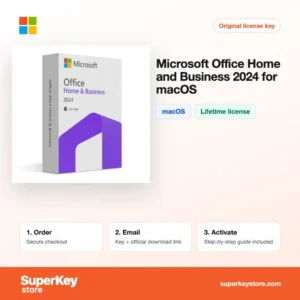
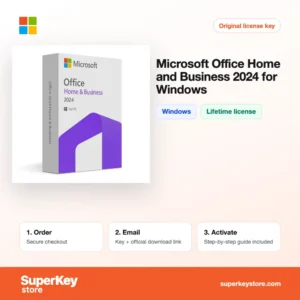
Popular picks include Office Home and Business 2024 for Windows, Microsoft Office Home and Business 2024 for macOS i Office 2021 Professional Plus (Bind). After checkout we email your product key and a link to the installer, usually within minutes.
Why buy a Microsoft Office license?
A perpetual Office license offers clear advantages for many users:
- Pay once: Office 2024, 2021, 2019 and 2016 are one-time purchases with no monthly fee.
- Works offline: The apps are installed locally, so you can write and calculate without an internet connection.
- Familiar file formats: DOCX, XLSX and PPTX are the standard formats exchanged by schools, companies and public offices.
- Business email: Home and Business and Professional editions include Outlook, with a license that allows commercial use.
- Specialist tools: Access for databases, Project for schedules and Visio for diagrams extend Office for technical and managerial work.
What are the main features of Microsoft Office?
Office versions sold here share these main features:
1. Word for documents
Word writes letters, reports and theses with styles, tables of contents, track changes and comments. Students and office staff use it for nearly every text task.
2. Excel for data
Excel calculates, analyses and charts data, with PivotTables and newer functions such as XLOOKUP in recent versions. Accountants and analysts rely on it daily.
3. PowerPoint for presentations
PowerPoint builds slide decks with Designer suggestions, animations and presenter view. Teachers, sales staff and students present with it.
4. Outlook for email and calendar
Outlook manages several mail accounts, calendars and contacts in one place. It is included in business editions and Professional Plus.
5. Access, Project and Visio
Access builds desktop databases, Project plans schedules and Visio draws diagrams. These Windows-only tools serve technical and managerial roles.
6. Cloud saving
Office versions save directly to OneDrive and SharePoint. You can reach files from other devices and share them for co-authoring.
Which Microsoft Office product is right for you?
Most home users need Office Home 2024; anyone who uses Office for business or needs Outlook should pick Home and Business 2024.
| Produkt | Best for | Platform | Licencja |
|---|---|---|---|
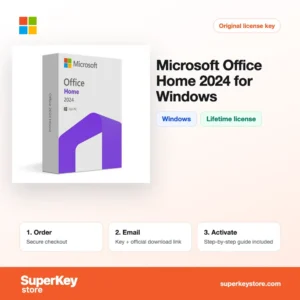
| Microsoft Office Home 2024 for Windows | Students and families: Word, Excel, PowerPoint, OneNote | Windows | One-time purchase, 1 PC |
| Office Home and Business 2024 for Windows | Small businesses and freelancers, adds Outlook | Windows | One-time purchase, 1 PC |
| Office 2024 Home & Business | Users who switch between PC and Mac | Windows and macOS | Licencja bezterminowa (jednorazowy zakup) |
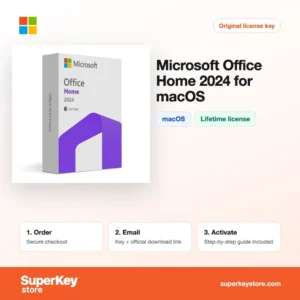
| Microsoft Office Home 2024 for macOS | Mac owners at home or school | macOS | One-time purchase |
| Office 2021 Professional Plus (Bind) | Users who need Access and Publisher | Windows | One-time purchase, bound to account |
| Microsoft Excel 2024 for Windows | Spreadsheet work without the full suite | Windows | One-time purchase |
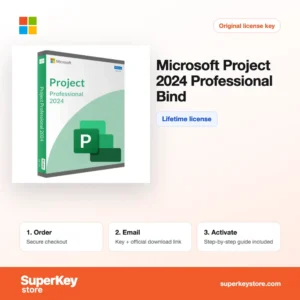
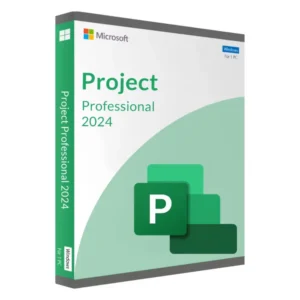
Planners can add Project 2024 Professional lub Visio 2024 Professional, and older systems can still run versions such as Office 2019 Home & Business for Windows.
What are the system requirements for Microsoft Office?
Office 2024 needs Windows 10 or 11, or one of the three latest macOS versions; check each product's System Requirements tab for older versions.
| Komponent | Minimum |
|---|---|
| System operacyjny | Windows 11 or Windows 10; macOS (three most recent versions) for Mac editions |
| Procesor | 1.1 GHz or faster, 2 cores (Windows); Intel or Apple silicon (Mac) |
| Pamięć (RAM) | 4 GB |
| Miejsce na dysku | 4 GB (Windows) or 10 GB (Mac) |
| Other | Internet connection and Microsoft account for activation |
Office for Windows needs a screen resolution of at least 1280 x 768. Older versions such as Office 2016 and 2019 also run on Windows 10 and 11, but no longer receive security updates once their support ends. Mac buyers should confirm that their macOS version is still supported before ordering.
How do you download and activate Microsoft Office?
- Choose and pay: Select the version, edition and platform, then complete your order.
- Get your key: The product key and download link arrive by email, usually within minutes; a security check can take up to 24 hours.
- Install from Microsoft: Redeem the key at setup.office.com or download the installer from Microsoft as described in the email.
- Activate: Open Word or Excel, sign in or enter the key when prompted, and Office activates online.
What happens to my Microsoft Office license if I reinstall or format my computer?
Most Office licenses are linked to your Microsoft account when you first activate them. After formatting the PC, sign in at your Microsoft account services page, download Office again and it activates with the same account. Volume and phone-activated editions are reinstalled with the key itself.
Can I move a Microsoft Office license to a new PC or Mac?
Retail and account-bound Office licenses can move to a new computer: uninstall Office on the old one, then install it from your account on the new one. OEM and volume licenses are usually tied to the first device. Windows and Mac editions are separate products, unless the name says Mac and Windows.
Before you reinstall, write down which Microsoft account you used for activation. Signing in with a different account is the most common reason why Office does not find its license after a reset.
What if my Microsoft Office key does not work?
Contact support with your order number and a screenshot of the activation error. We will replace the key or refund you as described in the Polityka zwrotów.
Frequently asked questions about Microsoft Office
What is the difference between Office 2024 and Microsoft 365?
Office 2024 is a one-time purchase for one device with no new feature updates. Microsoft 365 is a subscription with cloud storage and continuous updates.
Can I use one Office license on Windows and Mac?
Usually not; most licenses are for one platform. Products labeled for Mac and Windows allow installation on either system.
Which Office version should I buy in 2026?
Office 2024 is the newest perpetual release and has the longest remaining support. Older versions suit older PCs or tight budgets.
Does Office 2024 include Publisher?
No. Microsoft discontinued Publisher, and it is not part of Office 2024. It remains in Office 2021 Professional Plus and as a single app.
What does "Bind" mean in a product name?
A Bind license is linked to your Microsoft account. This makes reinstalling easier, because the license is stored in your account.
Can I use Office Home for my business?
No. Office Home is licensed for non-commercial use; choose Home and Business or a Professional edition for business.
Is Office 2016 still usable?
Yes, it still works, but Microsoft ended support in October 2025, so it no longer receives security updates.
Do I get Teams with Office 2024?
Teams is a free download from Microsoft and is not part of the perpetual Office 2024 suite.
Can I buy only Outlook?
Yes. Outlook is sold as a single app for several versions, such as Outlook 2024 for Windows.
Browse Microsoft Office Licenses by type
Narrow your choice by version: Licencje Office 2024, Licencje Office 2021, Licencje Office 2019 i Licencje Office 2016. Mac users can go to Licencje Microsoft Office na Maca, single apps are in Licencje na Microsoft Word, Excel i aplikacje Office, and specialist tools are in Licencje Microsoft Project i Licencje Microsoft Visio.
Many buyers also look at Licencje Microsoft 365, Licencje Windows i Licencje antywirusowe.
Co otrzymasz, kupując w SuperKeyStore licencje Microsoft Office?
Otrzymasz e-mail z kluczem licencyjnym, oficjalnym linkiem do pobrania i instrukcją aktywacji krok po kroku. Każde zamówienie obejmuje:
- Klucz licencyjny: klucz produktu dla edycji, okresu i liczby urządzeń podanych na stronie produktu.
- Oficjalne pobieranie: link do instalatora na stronie producenta.
- Instrukcja aktywacji: kroki instalacji i aktywacji programu, dostępne także w zakładce „Pobieranie i aktywacja”.
- Historia zamówień: klucz pozostaje w e-mailu z potwierdzeniem oraz w sekcji Moje konto.
- Pomoc e-mailowa: pomoc przy instalacji lub aktywacji od naszego zespołu wsparcia.
Dlaczego warto kupować licencje na oprogramowanie w SuperKeyStore?
SuperKeyStore sprzedaje cyfrowe klucze licencyjne z dostawą e-mailem, bezpieczną płatnością i jasnymi zasadami postępowania w przypadku wadliwego klucza. Najważniejsze powody, dla których klienci zamawiają u nas:
- Dostawa cyfrowa: bez wysyłki; klucz zwykle dociera e-mailem w ciągu kilku minut od płatności, a niektóre zamówienia przechodzą kontrolę bezpieczeństwa trwającą do 24 godzin.
- Jasne informacje o produkcie: każda strona produktu podaje edycję, platformę, okres licencji i liczbę urządzeń.
- Wymiana lub zwrot pieniędzy: jeśli klucz nie działa, otrzymasz działający klucz lub zwrot pieniędzy, zgodnie z dokumentem Polityka zwrotów.
- Bezpieczna płatność: płatności obsługuje operator płatności; SuperKeyStore nie przechowuje pełnych danych karty.
Inne licencje na oprogramowanie w ofercie SuperKeyStore
SuperKeyStore sprzedaje także licencje z tych kategorii:
- Licencje Windows: Licencje Windows 11 · Licencje Windows 10
- Licencje Microsoft Office: Licencje Office 2024 · Licencje Microsoft Office na Maca · Licencje na Microsoft Word, Excel i aplikacje Office · Licencje Microsoft Project · Licencje Microsoft Visio
- Licencje Microsoft 365
- Licencje antywirusowe: Licencje antywirusowe Norton · Licencje antywirusowe McAfee · Licencje antywirusowe Bitdefender · Licencje antywirusowe ESET · Licencje antywirusowe Avast · Licencje antywirusowe AVG · Licencje antywirusowe Panda · Licencje VPN · Licencje na bezpieczeństwo firm
- Licencje Windows Server i CAL: Licencje CAL Windows Server i RDS CAL · Licencje Microsoft SQL Server · Licencje Exchange & SharePoint Server
- Licencje na programy CAD i 3D: Licencje na oprogramowanie Autodesk · Licencje Graphisoft Archicad · Licencje SolidWORKS
- Licencje na programy do grafiki i zdjęć: Licencje na oprogramowanie Adobe · Licencje CorelDRAW
- Licencje na PDF i narzędzia biurowe
- Licencje na programy do kopii zapasowych i odzyskiwania danych
- Licencje na programy do wideo i muzyki
- Licencje na programy do wirtualizacji
- Pakiety Office i Windows