
Licencje na oprogramowanie Adobe
Adobe licenses cover Creative Cloud subscriptions, the Photography Plan with Photoshop and Lightroom, and the Photoshop Elements and Premiere Elements editors.
- 2
- 3
- 4
Buy Adobe Software Licenses at SuperKeyStore
Adobe makes the standard tools for photo editing, design, video and PDF work. This category is for photographers, designers, video editors, students and hobbyists who want access to Adobe apps through a prepaid plan or a one-time Elements license.
You can pick a full Adobe Creative Cloud (1 year) plan, the Adobe Creative Cloud Photography Plan 1 TB (1 year) for Photoshop and Lightroom, or a stand-alone editor such as Adobe Photoshop Elements 2026. After payment we email you the code or license key and the download link, usually within minutes.
Why buy an Adobe license?
Adobe software is used in studios, agencies and schools worldwide for good reasons:
- Industry-standard files: PSD, AI, INDD and PDF files open the same way for clients, printers and colleagues.
- Complete creative toolkit: Creative Cloud includes Photoshop, Illustrator, InDesign, Premiere Pro, After Effects, Acrobat and many more apps in one plan.
- Photo workflow: Lightroom organizes and develops raw photos, and syncs edits between desktop, tablet and phone through cloud storage.
- Generative AI features: Adobe Firefly powers tools such as Generative Fill in Photoshop to extend or replace parts of an image.
- Easy editors for beginners: Photoshop Elements and Premiere Elements offer guided edits for family photos and home videos without a subscription.
What are the main features of Adobe?
Adobe products differ a lot, but several capabilities run through the whole range:
1. Layer-based image editing
Photoshop edits photos and graphics with layers, masks and adjustment layers, so changes stay reversible. Photographers, designers and marketers use it daily.
2. Raw photo development
Lightroom and Lightroom Classic process raw camera files, organize large libraries with keywords and ratings, and apply presets in batches. Wedding and travel photographers save hours this way.
3. Vector and layout design
Illustrator draws logos and illustrations that scale to any size, and InDesign lays out brochures, magazines and books. Both are part of Creative Cloud.
4. Video editing and motion graphics
Premiere Pro cuts and color-grades video, and After Effects adds titles and effects. Premiere Elements offers a simpler version for home movies.
5. Cloud libraries and storage
Creative Cloud stores files, fonts and color palettes online so they are available on every device. Teams share assets without emailing files.
6. Generative Fill and Firefly
Firefly-powered tools extend backgrounds, remove objects and generate images from text prompts. This speeds up mock-ups and retouching.
Which Adobe product is right for you?
Choose Creative Cloud for professional design and video work, the Photography Plan for photo editing, and Elements for occasional home projects.
| Produkt | Best for | Platform | Okres |
|---|---|---|---|
| Adobe Creative Cloud (1 year) | Designers and video editors who need all apps | Windows and macOS | 12 months |
| Adobe Creative Cloud (1 Month) | Short projects or trying the full suite | Windows and macOS | 1 month |
| Adobe Creative Cloud Photography Plan 1 TB (1 year) | Photographers using Photoshop and Lightroom | Windows and macOS | 12 months, 1 TB storage |
| Adobe Lightroom (1 TB) | Cloud-based photo editing across devices | Windows and macOS | Plan with 1 TB storage |
| Adobe Photoshop Elements 2026 | Home users editing family photos | Windows or macOS | One-time purchase |
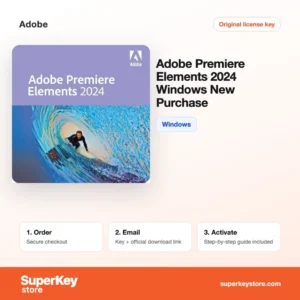
| Adobe Premiere Elements 2024 for Windows | Simple home video editing | Windows | One-time purchase |
Teams can choose Adobe Lightroom for Teams (1-9 Users), and schools can look at Adobe Creative Cloud Pro STE. Shorter Creative Cloud terms such as Adobe Creative Cloud (3 months) i Adobe Creative Cloud (6 months) are also available.
What are the system requirements for Adobe?
Adobe apps need a recent 64-bit Windows or macOS system; requirements differ per app, so check each product's System Requirements tab.
| Komponent | Minimum |
|---|---|
| System operacyjny | Windows 10 or 11 (64-bit), or a recent macOS version |
| Procesor | Multi-core 64-bit processor (Intel, AMD or Apple silicon) |
| Pamięć (RAM) | 8 GB minimum, 16 GB or more recommended for Photoshop and video |
| Miejsce na dysku | Several GB per app; SSD recommended |
| Other | Internet connection and Adobe ID for activation and plan checks |
Video editing in Premiere Pro and After Effects benefits most from extra memory and a dedicated graphics card. Photoshop Elements and Lightroom are lighter and run well on typical home laptops. On a Mac, Apple silicon models run the current Adobe apps natively.
How do you download and activate Adobe software?
- Order: Choose the plan or Elements version and complete checkout.
- Email delivery: You receive your code and instructions, usually within minutes; a security check can take up to 24 hours.
- Download: Sign in with an Adobe ID on adobe.com and install the Creative Cloud desktop app or the Elements installer.
- Redeem: Enter the code on Adobe's redeem page or in the app, and the plan or license is linked to your Adobe account.
What happens to my Adobe license if I reinstall or format my computer?
Adobe licenses are linked to your Adobe ID, not to the computer. After reinstalling, download the Creative Cloud app or the Elements installer, sign in with the same Adobe ID and your plan or license is recognized. Elements serial numbers can also be re-entered if they were not registered to an account.
Can I move a Adobe license to a new PC or Mac?
Yes. Creative Cloud allows installation on two computers, Windows or Mac, with one active at a time; sign out on the old device and sign in on the new one. Photoshop Elements and Premiere Elements licenses can be moved by signing out or deactivating on the old computer. Note that some Elements products are sold separately for Windows and Mac.
Before you hand over or sell an old computer, open the Creative Cloud app and sign out. This frees the activation slot and prevents someone else from using your plan.
What if my Adobe key does not work?
Contact our support with your order number and a screenshot showing the error from Adobe. We will send a replacement code or refund your purchase as set out in the Polityka zwrotów.
Frequently asked questions about Adobe
Can I buy Photoshop as a one-time purchase?
Not the full Photoshop. Adobe sells it only through Creative Cloud plans, but Photoshop Elements is a one-time purchase.
Does Creative Cloud work on both Windows and Mac?
Yes. One Creative Cloud plan covers both systems, and you can install the apps on two computers and use them on one at a time.
What happens when my Creative Cloud plan ends?
The apps stop working with full features until you renew. Your files stay on your computer, and you can buy another prepaid term to continue.
What is the difference between Photoshop and Photoshop Elements?
Photoshop is the professional editor with layers, masks and advanced retouching. Elements is a simpler version with guided edits for home users.
Does the Photography Plan include Lightroom Classic?
Yes. Adobe's Photography Plan includes Photoshop, Lightroom and Lightroom Classic, plus cloud storage.
Can I share my Creative Cloud plan with a colleague?
No. Individual plans are for one person; teams need a Teams license such as Lightroom for Teams.
Do I get Adobe Fonts with Creative Cloud?
Yes. Creative Cloud plans include access to the Adobe Fonts library for use in your projects.
Can I stack several Creative Cloud codes?
Generally yes. Redeeming another prepaid code on the same Adobe ID extends the plan term.
Is Premiere Elements available for Mac?
Adobe sells Premiere Elements for both systems, but the product here is the Windows version.
Browse Adobe Software Licenses by type
Adobe is part of our Licencje na programy do grafiki i zdjęć section. You may also need Licencje Windows for a new PC or Licencje na programy CAD i 3D for technical drawing work.
Co otrzymasz, kupując w SuperKeyStore licencje Adobe Software?
Otrzymasz e-mail z kluczem licencyjnym, oficjalnym linkiem do pobrania i instrukcją aktywacji krok po kroku. Każde zamówienie obejmuje:
- Klucz licencyjny: klucz produktu dla edycji, okresu i liczby urządzeń podanych na stronie produktu.
- Oficjalne pobieranie: link do instalatora na stronie producenta.
- Instrukcja aktywacji: kroki instalacji i aktywacji programu, dostępne także w zakładce „Pobieranie i aktywacja”.
- Historia zamówień: klucz pozostaje w e-mailu z potwierdzeniem oraz w sekcji Moje konto.
- Pomoc e-mailowa: pomoc przy instalacji lub aktywacji od naszego zespołu wsparcia.
Dlaczego warto kupować licencje na oprogramowanie w SuperKeyStore?
SuperKeyStore sprzedaje cyfrowe klucze licencyjne z dostawą e-mailem, bezpieczną płatnością i jasnymi zasadami postępowania w przypadku wadliwego klucza. Najważniejsze powody, dla których klienci zamawiają u nas:
- Dostawa cyfrowa: bez wysyłki; klucz zwykle dociera e-mailem w ciągu kilku minut od płatności, a niektóre zamówienia przechodzą kontrolę bezpieczeństwa trwającą do 24 godzin.
- Jasne informacje o produkcie: każda strona produktu podaje edycję, platformę, okres licencji i liczbę urządzeń.
- Wymiana lub zwrot pieniędzy: jeśli klucz nie działa, otrzymasz działający klucz lub zwrot pieniędzy, zgodnie z dokumentem Polityka zwrotów.
- Bezpieczna płatność: płatności obsługuje operator płatności; SuperKeyStore nie przechowuje pełnych danych karty.
Inne licencje na oprogramowanie w ofercie SuperKeyStore
SuperKeyStore sprzedaje także licencje z tych kategorii:
- Licencje Windows: Licencje Windows 11 · Licencje Windows 10
- Licencje Microsoft Office: Licencje Office 2024 · Licencje Microsoft Office na Maca · Licencje na Microsoft Word, Excel i aplikacje Office · Licencje Microsoft Project · Licencje Microsoft Visio
- Licencje Microsoft 365
- Licencje antywirusowe: Licencje antywirusowe Norton · Licencje antywirusowe McAfee · Licencje antywirusowe Bitdefender · Licencje antywirusowe ESET · Licencje antywirusowe Avast · Licencje antywirusowe AVG · Licencje antywirusowe Panda · Licencje VPN · Licencje na bezpieczeństwo firm
- Licencje Windows Server i CAL: Licencje CAL Windows Server i RDS CAL · Licencje Microsoft SQL Server · Licencje Exchange & SharePoint Server
- Licencje na programy CAD i 3D: Licencje na oprogramowanie Autodesk · Licencje Graphisoft Archicad · Licencje SolidWORKS
- Licencje na programy do grafiki i zdjęć: Licencje na oprogramowanie Adobe · Licencje CorelDRAW
- Licencje na PDF i narzędzia biurowe
- Licencje na programy do kopii zapasowych i odzyskiwania danych
- Licencje na programy do wideo i muzyki
- Licencje na programy do wirtualizacji
- Pakiety Office i Windows