
Developer Tools Licenses
Developer tools licenses cover Microsoft Visual Studio, the integrated development environment for .NET, C++, web and mobile apps, in Professional and Enterprise editions.
- 2
- 3
- 4
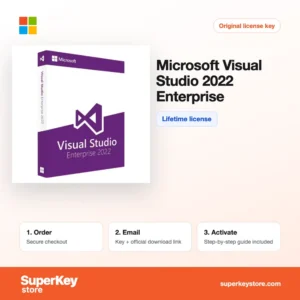
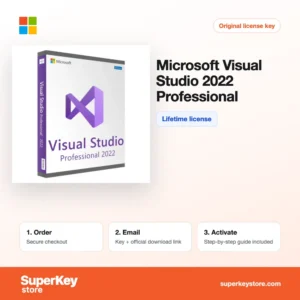
Buy Developer Tools Licenses at SuperKeyStore
This category contains Microsoft Visual Studio, the integrated development environment (IDE) for building desktop, web, cloud, mobile and game applications. It supports C#, C++, Visual Basic, F#, Python and JavaScript, and it is the standard tool for .NET development on Windows.
We offer the Professional and Enterprise editions of three releases, from Visual Studio 2026 Professional and Visual Studio 2026 Enterprise for Windows to Microsoft Visual Studio 2022 Professional and the older 2019 versions. You receive a product key and a link to Microsoft's official download by email, usually within minutes.
Why buy a Visual Studio license?
The paid editions of Visual Studio go beyond the free Community edition in several ways:
- Commercial use in companies: Community has usage limits for organizations. Professional and Enterprise are intended for professional teams of any size.
- Powerful debugging: Breakpoints, live variable inspection and diagnostic tools help you find errors quickly in large code bases.
- IntelliSense and code assistance: Code completion, refactoring and quick fixes speed up everyday programming.
- Enterprise testing tools: Enterprise adds features such as IntelliTrace, Live Unit Testing, code coverage and architecture validation.
- Built-in Git and Azure integration: You can manage repositories and deploy to Azure directly from the IDE.
What are the main features of Visual Studio?
Visual Studio combines editing, building, debugging and deployment in one application:
1. Code editor with IntelliSense
The editor completes code, shows parameter information and suggests fixes as you type. Developers write correct code faster and spend less time on documentation lookups.
2. Integrated debugger
You can step through code, inspect variables, set conditional breakpoints and attach to running processes. This shortens the time needed to find complex bugs.
3. Workloads for many platforms
The installer offers workloads for .NET desktop, ASP.NET web, C++ desktop, Azure, mobile with .NET MAUI and game development. Each team installs only what it needs.
4. Testing and code quality
Unit test tools, code analysis and, in Enterprise, code coverage and Live Unit Testing check your code continuously. Teams catch errors before they reach production.
5. Collaboration features
Git integration, Live Share and pull request support let developers work together on the same code. Remote and distributed teams benefit most.
6. AI assistance
Recent releases integrate GitHub Copilot, which can suggest code and explain errors. It requires a separate GitHub Copilot plan.
Which Visual Studio edition is right for you?
Professional suits individual developers and small teams; Enterprise suits larger teams that need advanced testing and diagnostics. The release year matters if your projects or build servers depend on a specific version.
| Product | Best for | Platform | Edition |
|---|---|---|---|
| Visual Studio 2026 Professional | Current release for professional developers | Windows | Professional |
| Visual Studio 2026 Enterprise for Windows | Current release for larger teams | Windows | Enterprise |
| Microsoft Visual Studio 2022 Professional | Projects that are built with Visual Studio 2022 | Windows | Professional |
| Microsoft Visual Studio 2022 Enterprise | Teams standardized on 2022 with advanced testing | Windows | Enterprise |
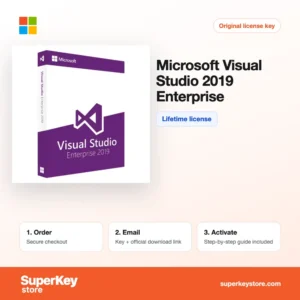
| Visual Studio 2019 Enterprise | Maintenance of older 2019 solutions | Windows | Enterprise |
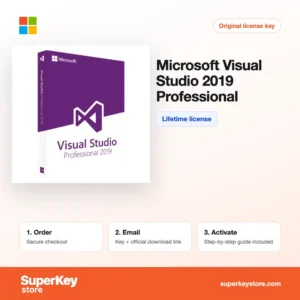
| Microsoft Visual Studio 2019 Professional | Legacy projects that require the 2019 toolchain | Windows | Professional |
Teams should keep everyone on the same release, so that solution files, extensions and build tools behave identically. If a customer project is locked to an older toolchain, an older edition avoids conversion problems. For greenfield projects the newest release is usually the better long-term choice.
What are the system requirements for Visual Studio?
Visual Studio needs a 64-bit Windows PC with enough memory and an SSD; check each product's System Requirements tab for the release.
| Component | Minimum |
|---|---|
| Operating system | Windows 10 or Windows 11, 64-bit (Windows Server also supported) |
| Processor | ARM64 or x64 processor, quad-core or better recommended |
| Memory (RAM) | 4 GB minimum; 16 GB recommended |
| Disk space | 850 MB to 210 GB depending on installed workloads; 20 to 50 GB is typical |
| Other | SSD recommended; internet connection for installation and activation |
How do you download and activate Visual Studio?
- Order: Select the edition and release you need and complete your purchase.
- Open the email: The product key and download link are delivered by email, usually within minutes, or within 24 hours if a security check applies.
- Download: Run the Visual Studio Installer from Microsoft's official website and choose the workloads you need, such as .NET desktop or C++ development.
- Enter the key: Open Help, then Register Visual Studio, select the option to unlock with a product key and enter your key.
What happens to my Visual Studio license if I reinstall or format my computer?
Reinstalling Windows does not invalidate a Visual Studio product key. Download the installer again, select your workloads and enter the same key under Help, Register Visual Studio. Export your settings and installed workload configuration first to save time.
Can I move a Visual Studio license to a new PC or Mac?
A Visual Studio product key licenses one user, who may install it on several of their own machines. To move to a new PC, install Visual Studio there and enter the key; remove it from the old computer if it will be used by someone else. There is no Mac edition, so Mac users need Windows or Visual Studio Code.
What if my Developer Tools key does not work?
Send our support an email with your order number and a screenshot of the registration window. You will receive a replacement key or a refund according to the Refund Policy.
Frequently asked questions about Visual Studio
Is a Visual Studio product key a lifetime license?
A product key unlocks the edition for the release it was issued for, without a monthly fee. Major new releases are separate products.
Does Visual Studio run on a Mac?
No, the editions on this page run on Windows only. Microsoft retired Visual Studio for Mac, and Mac developers often use Visual Studio Code instead.
What is the difference between Visual Studio and Visual Studio Code?
Visual Studio is a full IDE for large .NET and C++ projects. Visual Studio Code is a free, lightweight editor that is extended with plugins.
Can I still buy Visual Studio 2019?
Yes, the 2019 editions are available for teams that must keep an older toolchain. Microsoft provides fewer updates for older releases, so choose 2026 for new projects.
Can I install several versions side by side?
Yes, different releases of Visual Studio can be installed on the same Windows PC. Each release needs its own key.
Which programming languages does Visual Studio support?
C#, Visual Basic, F#, C++, Python, JavaScript and TypeScript are supported through workloads. Other languages can be added with extensions.
Can I develop mobile apps with Visual Studio?
Yes, the .NET MAUI workload builds apps for Android, iOS, Windows and macOS from one C# code base. Building iOS apps requires access to a Mac.
Do I need Enterprise for unit testing?
No, Professional includes unit testing. Enterprise adds advanced tools such as Live Unit Testing, IntelliTrace and code coverage.
Can Visual Studio 2026 open my 2022 projects?
Yes, newer releases open solutions created in older versions. You may be asked to retarget older frameworks.
Related software categories
Developers often also need Windows Licenses, Windows Server Licenses & CALs for test environments, or Microsoft Office Licenses.
What do you get after buying Developer Tools Licenses at SuperKeyStore?
You get an email with your license key, the official download link and step-by-step activation instructions. These items are included with every order:
- License key: the product key for the edition, term and number of devices named on the product page.
- Official download: a link to the installer on the developer's own website.
- Activation guide: the steps to install and activate the software, also shown in the Download & Activation tab.
- Order history: the key stays in your confirmation email and under My account.
- Email support: help with installation or activation from our support team.
Why buy software licenses from SuperKeyStore?
SuperKeyStore sells digital license keys with email delivery, secure checkout and a clear policy for faulty keys. The main reasons customers order here are:
- Digital delivery: no shipping; the key usually arrives by email within minutes of payment, and some orders get a security check of up to 24 hours.
- Clear product details: every product page states the edition, platform, license term and number of devices.
- Replacement or refund: if a key does not work, you get a working key or your money back, as set out in the Refund Policy.
- Secure payment: payments are processed by the payment provider; SuperKeyStore does not store full card details.
Other software licenses in the SuperKeyStore catalog
SuperKeyStore also sells licenses in these categories:
- Windows Licenses: Windows 11 Licenses · Windows 10 Licenses
- Microsoft Office Licenses: Office 2024 Licenses · Office 2021 Licenses · Office 2019 Licenses · Office 2016 Licenses · Microsoft Office for Mac Licenses · Microsoft Word, Excel & Office App Licenses · Microsoft Project Licenses · Microsoft Visio Licenses
- Microsoft 365 Licenses
- Antivirus Licenses: Norton Antivirus Licenses · McAfee Antivirus Licenses · Kaspersky Antivirus Licenses · Bitdefender Antivirus Licenses · ESET Antivirus Licenses · Avast Antivirus Licenses · AVG Antivirus Licenses · Panda Antivirus Licenses · VPN Licenses · Business Security Licenses
- Windows Server Licenses & CALs: Windows Server CAL & RDS CAL Licenses · Microsoft SQL Server Licenses · Exchange & SharePoint Server Licenses
- CAD & 3D Design Software Licenses: Autodesk Software Licenses · Graphisoft Archicad Licenses · SolidWORKS Licenses
- Graphic Design & Photo Software Licenses: Adobe Software Licenses · CorelDRAW Licenses
- PDF & Office Tools Licenses
- Backup & Data Recovery Software Licenses
- Video & Music Software Licenses
- Virtualization Software Licenses
- Office & Windows Bundle Licenses