
Licencje antywirusowe Avast
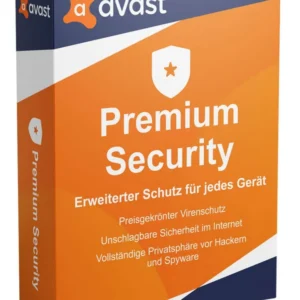
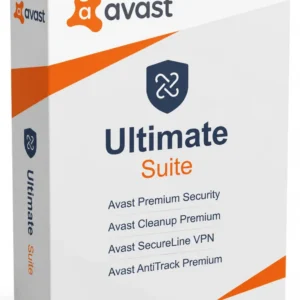
Avast licenses cover Avast Premium Security, Avast Ultimate and Avast Mobile Security. Premium Security protects against malware, ransomware and fake websites; Ultimate adds the SecureLine VPN, AntiTrack and Cleanup Premium.
- 2
- 3
- 4
Buy Avast Antivirus Licenses at SuperKeyStore
Avast is a Czech security company, now part of Gen Digital, whose antivirus engine protects millions of PCs, Macs and phones. This category gathers the paid Avast plans: single-PC licenses, multi-device packs for households and a plan for small businesses.
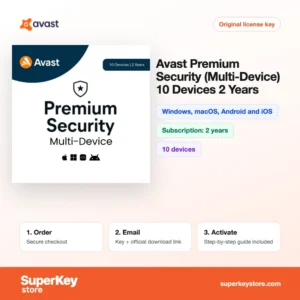
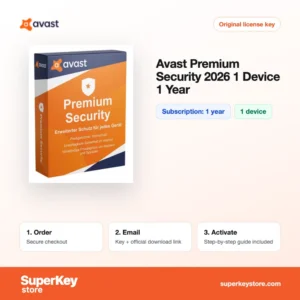
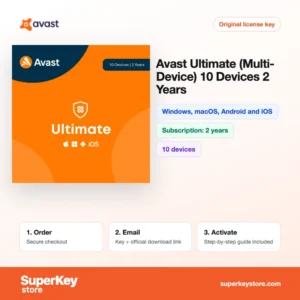
A household with several devices often picks Avast Premium Security (10 devices, 1 year), while someone who also wants a VPN chooses Avast Ultimate (10 Devices, 2 Years). For one PC there is Avast Premium Security for Windows (1 PC, 1 year). Your activation code and download link arrive by email, usually within minutes.
Why buy an Avast license?
Free Avast covers basic scanning. A paid plan adds protection that matters for banking, shopping and family devices:
- Ransomware Shield: Protected folders cannot be changed by untrusted apps, which stops ransomware from encrypting your documents and photos.
- Safer online payments: Real Site and the secure browser mode block fake websites that copy banks and shops.
- Webcam and Wi-Fi checks: Premium Security blocks apps from using your webcam and warns about weak points in your home network.
- Private browsing with a VPN: Ultimate includes SecureLine VPN, which encrypts your connection on public Wi-Fi.
- One plan for many devices: Multi-device licenses cover Windows, macOS, Android and iOS under one subscription.
What are the main features of Avast?
The paid Avast plans share the same core engine and add these features:
1. Real-time malware scanning
File, web, email and behavior shields check files as they arrive and programs as they run. Every user benefits, because threats are stopped before they start.
2. Ransomware Shield
Chosen folders are protected so that only trusted programs can change files in them. Families with photo archives and freelancers with client files gain the most.
3. Real Site and Web Shield
These tools block fake websites and DNS hijacking that send you to copies of banking or shopping pages. People who shop and bank online are protected against phishing.
4. Firewall and Wi-Fi Inspector
The firewall controls network traffic, and Wi-Fi Inspector checks routers and devices for weak passwords and open ports. Users of home networks and public hotspots see risks before an attacker uses them.
5. SecureLine VPN in Ultimate
The VPN encrypts traffic on public Wi-Fi and hides your IP address. Travellers and remote workers keep their browsing private.
6. Cleanup Premium and AntiTrack in Ultimate
Cleanup Premium removes junk and sleeps background apps, while AntiTrack hides your browser fingerprint from trackers. Users who want speed and privacy in one plan choose Ultimate.
Which Avast product is right for you?
Premium Security is the right choice for most homes; take Ultimate if you also want a VPN and cleanup tools. Choose a Windows-only key for a single PC and a 10-device key for a family.
| Produkt | Best for | Platform | License/term | Urządzenia |
|---|---|---|---|---|
| Avast Pro Antivirus (1 PC, 1 Year) | Basic paid protection on one PC | Windows | Subscription for 1 year | 1 urządzenie |
| Avast Premium Security for Windows (1 PC, 1 year) | A single PC used for banking and shopping | Windows | Subscription for 1 year | 1 urządzenie |
| Avast Premium Security (10 devices, 1 year) | Families with mixed devices | Windows, macOS, Android and iOS | Subscription for 1 year | 10 urządzeń |
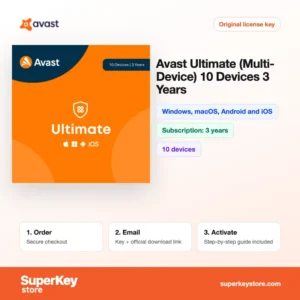
| Avast Ultimate (10 devices, 3 years) | Long-term coverage with VPN | Windows, macOS, Android and iOS | Subscription for 3 years | 10 urządzeń |
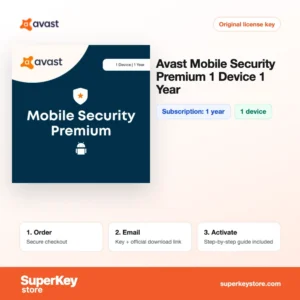
| Avast Mobile Security Premium | A single phone | Mobile | Subscription for 1 year | 1 urządzenie |
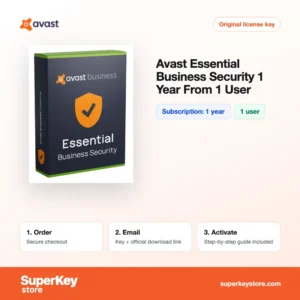
| Avast Essential Business Security | Small businesses | Business devices | Subscription for 1 year | 1 użytkownik |
What are the system requirements for Avast?
Avast runs on most current computers and phones; check each product's System Requirements tab for the exact platforms included.
| Komponent | Minimum |
|---|---|
| System operacyjny | Windows 10 or 11; macOS 11 or later; Android 8 or later; iOS 15 or later |
| Procesor | Intel or AMD x86/x64 processor, or Apple Silicon on Mac |
| Pamięć (RAM) | 1 GB on Windows (2 GB recommended) |
| Miejsce na dysku | About 2 GB free disk space |
| Other | Internet connection for activation and virus definition updates |
How do you download and activate Avast?
- Choose your Avast plan, number of devices and term, then place the order.
- Receive the activation code and download link by email, usually within minutes; a security check can take up to 24 hours.
- Download Avast from the official Avast website on each device you want to protect.
- Open Avast, go to the menu item for entering an activation code, and paste your code.
What happens to my Avast license if I reinstall or format my computer?
Your subscription stays valid when you reinstall Windows. Install Avast again and enter the same activation code, or sign in to your Avast Account if you linked the subscription there. The remaining time is kept.
Can I move a Avast license to a new PC or Mac?
Yes. Remove Avast or the device from your Avast Account on the old computer, then activate the new one with the same code. Multi-device plans cover Windows, Mac, Android and iOS, while Windows-only plans cannot be used on a Mac.
What if my Avast Antivirus key does not work?
Email our support with your order number and a screenshot of the Avast message. You will receive a replacement code or a refund as set out in the Polityka zwrotów.
Frequently asked questions about Avast
Is Avast Premium Security better than the free version?
Yes, for most users. It adds Ransomware Shield, fake website protection, webcam protection and a firewall that the free version lacks.
Can I use a 10-device license on both a Mac and an iPhone?
Yes. The multi-device plans cover Windows, macOS, Android and iOS, up to 10 devices in total.
What is the difference between a 1-year and a 3-year plan?
Both include the same features. A longer term saves you renewals and usually costs less per year.
Can I add a new key to an existing Avast subscription?
Yes. Entering a new code before the current one ends normally extends your protection with the new term.
Do I need to uninstall other antivirus software first?
Yes. Running two real-time antivirus programs side by side causes conflicts, so remove the old one before installing Avast.
Does Avast slow down my computer?
Only a little on modern PCs. Avast uses a passive scanning approach in the background, and Gaming Mode pauses notifications while you play.
Does Avast protect against phishing emails?
Yes. The Mail Shield and Web Shield scan links and attachments and block known phishing sites.
Is Avast Pro Antivirus the same as Premium Security?
No. Pro Antivirus is an older Windows-only plan with fewer features; Premium Security adds webcam protection, fake website protection and a firewall.
Does Avast work alongside Microsoft Defender?
Yes. When Avast is installed, Windows switches Microsoft Defender's real-time scanning off automatically, so the two programs do not conflict. Defender turns itself back on if you later remove Avast.
What is Avast Essential Business Security for?
It is for small businesses that want central management of antivirus protection for their computers from an online console.
Is Avast Mobile Security Ultimate different from Premium?
Yes. Premium protects the phone against malware and scam links, while Ultimate adds the VPN and extra privacy tools in the same app.
Browse more security and Windows software
Compare Avast with other brands in Licencje antywirusowe, or upgrade your system through Licencje Windows i Licencje Microsoft 365.
Co otrzymasz, kupując w SuperKeyStore licencje Avast Antivirus?
Otrzymasz e-mail z kluczem licencyjnym, oficjalnym linkiem do pobrania i instrukcją aktywacji krok po kroku. Każde zamówienie obejmuje:
- Klucz licencyjny: klucz produktu dla edycji, okresu i liczby urządzeń podanych na stronie produktu.
- Oficjalne pobieranie: link do instalatora na stronie producenta.
- Instrukcja aktywacji: kroki instalacji i aktywacji programu, dostępne także w zakładce „Pobieranie i aktywacja”.
- Historia zamówień: klucz pozostaje w e-mailu z potwierdzeniem oraz w sekcji Moje konto.
- Pomoc e-mailowa: pomoc przy instalacji lub aktywacji od naszego zespołu wsparcia.
Dlaczego warto kupować licencje na oprogramowanie w SuperKeyStore?
SuperKeyStore sprzedaje cyfrowe klucze licencyjne z dostawą e-mailem, bezpieczną płatnością i jasnymi zasadami postępowania w przypadku wadliwego klucza. Najważniejsze powody, dla których klienci zamawiają u nas:
- Dostawa cyfrowa: bez wysyłki; klucz zwykle dociera e-mailem w ciągu kilku minut od płatności, a niektóre zamówienia przechodzą kontrolę bezpieczeństwa trwającą do 24 godzin.
- Jasne informacje o produkcie: każda strona produktu podaje edycję, platformę, okres licencji i liczbę urządzeń.
- Wymiana lub zwrot pieniędzy: jeśli klucz nie działa, otrzymasz działający klucz lub zwrot pieniędzy, zgodnie z dokumentem Polityka zwrotów.
- Bezpieczna płatność: płatności obsługuje operator płatności; SuperKeyStore nie przechowuje pełnych danych karty.
Inne licencje na oprogramowanie w ofercie SuperKeyStore
SuperKeyStore sprzedaje także licencje z tych kategorii:
- Licencje Windows: Licencje Windows 11 · Licencje Windows 10
- Licencje Microsoft Office: Licencje Office 2024 · Licencje Microsoft Office na Maca · Licencje na Microsoft Word, Excel i aplikacje Office · Licencje Microsoft Project · Licencje Microsoft Visio
- Licencje Microsoft 365
- Licencje antywirusowe: Licencje antywirusowe Norton · Licencje antywirusowe McAfee · Licencje antywirusowe Bitdefender · Licencje antywirusowe ESET · Licencje antywirusowe Avast · Licencje antywirusowe AVG · Licencje antywirusowe Panda · Licencje VPN · Licencje na bezpieczeństwo firm
- Licencje Windows Server i CAL: Licencje CAL Windows Server i RDS CAL · Licencje Microsoft SQL Server · Licencje Exchange & SharePoint Server
- Licencje na programy CAD i 3D: Licencje na oprogramowanie Autodesk · Licencje Graphisoft Archicad · Licencje SolidWORKS
- Licencje na programy do grafiki i zdjęć: Licencje na oprogramowanie Adobe · Licencje CorelDRAW
- Licencje na PDF i narzędzia biurowe
- Licencje na programy do kopii zapasowych i odzyskiwania danych
- Licencje na programy do wideo i muzyki
- Licencje na programy do wirtualizacji
- Pakiety Office i Windows