
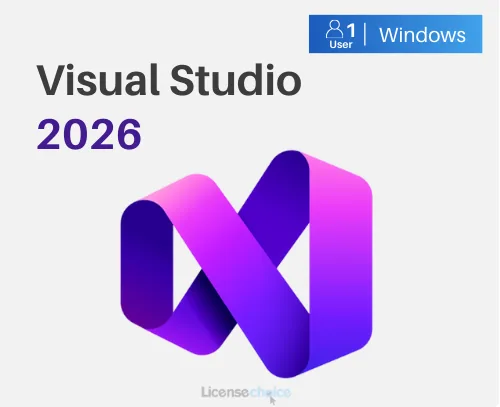
Visual Studio 2026 Enterprise for Windows
2 415,99 zł
Visual Studio 2026 Enterprise
In stock
Delivered by email, usually within minutes of payment
Key Features
Buy Visual Studio 2026 Enterprise for Windows License Key on SuperKeyStore: original product key, free technical support and a replacement-or-refund guarantee for faulty keys. Code editing, debugging, testing and team tools for .NET, C++, web and cloud projects in Microsoft’s top IDE edition. Delivered by email, usually within minutes of payment.
Buy Visual Studio 2026 Enterprise for Windows
You get a Visual Studio 2026 Enterprise for Windows license key (one-time purchase), the download link and activation steps by email. Visual Studio 2026 Enterprise for Windows is the top edition of Microsoft’s integrated development environment for Windows, aimed at professional teams building large applications. No box or DVD is shipped.
| Detail | Value |
|---|---|
| Product | Visual Studio 2026 Enterprise for Windows |
| Developer | Microsoft |
| Category | Developer Tools |
| Platform | Windows |
| License | Lifetime (one-time purchase) |
| Delivery | License key and download link by email |
What is Visual Studio 2026 Enterprise?
Visual Studio 2026 Enterprise is the most complete edition of Microsoft’s development environment for Windows. Developers use it to write, debug, test and deploy software. It supports many languages, including C#, C++, Visual Basic, JavaScript, TypeScript and Python. The software is available in multiple languages.
What are the main features of Visual Studio Enterprise?
Visual Studio Enterprise combines the editor and debugger with advanced testing and analysis tools. The key functions are:
- Code editor: offers IntelliSense, refactoring and code navigation.
- Debugger: steps through code, inspects variables and finds errors.
- Testing tools: runs unit tests and measures code coverage.
- Project types: builds desktop, web, cloud, mobile and game applications.
- Team work: connects to Git repositories and supports shared development.
Which developers should choose Visual Studio Enterprise?
Enterprise is for professional teams that build large or business-critical applications. It suits companies that need advanced testing, diagnostics and architecture tools. Single developers and small teams often work well with the Professional edition.
What is the difference between Enterprise and Professional?
Both editions share the core IDE, but Enterprise adds advanced testing and diagnostic tools. The table summarises the difference:
| Detail | Professional | Enterprise |
|---|---|---|
| Editor, debugger, Git | Yes | Yes |
| Advanced testing and diagnostics | Limited | Full |
| Target users | Individuals and small teams | Large teams and enterprises |
Smaller teams can compare Visual Studio 2026 Professional for Windows. Older versions and other tools are listed under Developer Tools.
Why buy Visual Studio 2026 Enterprise for Windows from SuperKeyStore?
Buying Visual Studio 2026 Enterprise for Windows at SuperKeyStore includes:
- Original license: an original Visual Studio 2026 Enterprise for Windows license key, activated through Microsoft’s official activation.
- One-time purchase: pay once and keep using Visual Studio 2026 Enterprise for Windows. No subscription.
- Platform: Windows.
- Email delivery: the license key and the official download link arrive by email, usually within minutes of payment (some orders get a security check of up to 24 hours).
- Free technical support: our team helps by email with installation and activation ([email protected]).
- Replacement or refund: if the key does not work, you get a working key or your money back, as set out in our Refund Policy.
How do you redeem your Visual Studio 2026 Enterprise for Windows key?
You redeem the key in a few steps after the order email arrives. The redemption guide for Visual Studio 2026 Enterprise for Windows is:
- Download the Visual Studio installer from visualstudio.microsoft.com.
- Choose the workloads you need (for example .NET desktop or web development) and install.
- Open Visual Studio and go to Help > Register Visual Studio > Unlock with a Product Key.
- Enter your product key to activate the license.
Your key also stays in your order email and under My account.
System Requirements
| Operating system | Windows 11 or Windows 10, 64-bit |
|---|---|
| Processor | 64-bit x64 or ARM64 processor; quad-core or better recommended |
| Memory (RAM) | 4 GB minimum, 16 GB recommended |
| Hard disk | 20-50 GB of free space for a typical installation (SSD recommended) |
| Display | 1366 x 768 or higher (1920 x 1080 recommended) |
| Internet | Required for download and activation |
Download & Activation
Download Visual Studio 2026 Enterprise for Windows with SuperKeyStore
Buying Visual Studio 2026 Enterprise for Windows takes a minute: add it to your cart, pay through our secure, encrypted checkout and you receive your product key and the official download link by email, usually within minutes. Everything you need is in your order email, together with these instructions.
How to install and activate Visual Studio 2026 Enterprise for Windows
- Download the Visual Studio installer from visualstudio.microsoft.com.
- Choose the workloads you need (for example .NET desktop or web development) and install.
- Open Visual Studio and go to Help > Register Visual Studio > Unlock with a Product Key.
- Enter your product key to activate the license.
Stuck at any step? Email [email protected] with your order number and a screenshot. Our support is free, and if a key does not work we send a replacement or refund you, as set out in our Refund Policy.
Why choose Visual Studio 2026 Enterprise for Windows
Visual Studio 2026 Enterprise for Windows gives developers a complete IDE for .NET, C++, Python and web projects, with powerful debugging and Git built in.
More software at SuperKeyStore
Popular with this product: Windows 11 Pro, Office 2024 Professional Plus, Microsoft 365 Personal. Browse all Windows, Microsoft Office, antivirus software, money-saving bundles and Microsoft apps.
Digital delivery
All our products are delivered digitally by email: no shipping costs, no waiting for a parcel and no packaging waste. Your key is stored in your order email and, if you created one, in your account, so you can find it again at any time.
FAQ
Is this a subscription?
No. This is a product key for Visual Studio with lifetime online activation, not a Visual Studio subscription.
What is the difference between Professional and Enterprise?
Professional covers professional development for individuals and small teams. Enterprise adds advanced testing, debugging, architecture and code-quality tools for large teams.
Which languages and platforms can I develop for?
C#, .NET, C++, Python, JavaScript/TypeScript and more, for desktop, web, cloud and mobile applications.
On how many PCs can I use it?
The key is for one user. Contact us if you need licenses for a team.
How fast will I receive my key?
By email, usually within minutes of payment. Some orders go through a short security check that can take up to 24 hours. Please check your spam folder too.
What if my key does not work?
Email us your order number and a screenshot of the error. We send a replacement or refund you, as described in our Refund Policy.
More questions? See our FAQ, Refund Policy or contact us.
- Free supportBy email
- Instant deliveryKey in minutes
- Secure paymentsEncrypted checkout
- Genuine licensesOfficial activation
- Working-key guaranteeReplacement or refund
Chosen for you
View all Microsoft Visual Studio 2022 Professional Original price was: 245,99 zł.149,99 złCurrent price is: 149,99 zł.+ Add
 Microsoft Visual Studio 2022 Enterprise197,99 zł+ Add
 Microsoft Visual Studio 2019 Enterprise171,99 zł+ Add
 Microsoft Visual Studio 2019 Professional Original price was: 245,99 zł.149,99 złCurrent price is: 149,99 zł.+ Add
 Visual Studio 2026 Professional for Windows2 415,99 zł+ Add
Reviews
There are no reviews yet.