
Acronis
- 2
- 3
- 4

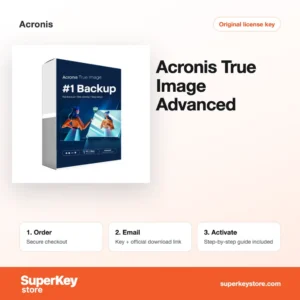

Buy Acronis Software Licenses at SuperKeyStore
Acronis is a Swiss-founded software company known for backup, disk imaging and cyber protection tools. Its consumer product line, Acronis True Image, copies a whole computer or selected files to a local drive, a NAS or the Acronis cloud, and adds protection against ransomware. Home users, freelancers and small offices use it to recover quickly after a failed drive, a lost laptop or an infected system.
At SuperKeyStore you can choose between Acronis True Image Essentials, Acronis True Image Advanced (1 device, 1 year) i Acronis True Image 2025. After payment you receive a license key and a link to the official Acronis download by email, usually within minutes.
Why buy an Acronis license?
An Acronis license protects your data in several ways at once:
- Full image backups: True Image copies the complete system, including Windows, programs, settings and files. You can restore the whole disk to a new drive without reinstalling anything.
- File and folder backups: You can also back up only selected folders, such as documents or photos, and restore single files when needed.
- Disk cloning: The cloning tool moves a system from an old hard drive to a new SSD. This is a common reason to buy the software when upgrading a computer.
- Ransomware protection: Active protection watches for processes that try to encrypt files and can restore affected data from a cache.
- Bootable rescue media: You can create a USB rescue drive that starts the computer and restores a backup even when Windows no longer boots.
What are the main features of Acronis?
Acronis True Image combines backup, recovery and security in one program. These are its core functions:
1. Full disk image backup
True Image saves an exact copy of the whole disk, including the operating system and boot data. After a drive failure you restore everything to a new disk in one step.
2. Incremental and scheduled backups
After the first full backup, later runs save only changed data. Schedules run backups daily, weekly or on events without user action.
3. Active disk cloning
You can clone a running Windows system to a new SSD without restarting. This is helpful for laptop owners who upgrade storage.
4. Acronis Survival Kit
The Survival Kit puts the rescue media and a system backup on one external drive. You can start and restore a dead computer from that single drive.
5. Cloud backup in Advanced
The Advanced plan includes storage in the Acronis cloud. Copies kept off-site survive theft, fire or a stolen laptop.
The features above apply to backups on a single computer. If you protect several machines, compare device counts on each product page, since every installed copy uses one device slot. Home users with one laptop usually find Essentials enough, while people who travel or keep important work files often prefer the off-site copy that Advanced adds through the cloud.
Which Acronis product is right for you?
For local backups and cloning on one computer, Essentials is enough; choose Advanced if you also want cloud storage and extended protection. The table compares the three products in this brand.
| Produkt | Best for | Platform | License/term |
|---|---|---|---|
| Acronis True Image Essentials | Local image backups, cloning and rescue media | Windows, macOS | See product page |
| Acronis True Image Advanced (1 device, 1 year) | Backups plus Acronis cloud storage and protection features | Windows, macOS | 1 device, 1 year |
| Acronis True Image 2025 | Users who want the 2025 release of True Image | Windows, macOS | See product page |
Check the product page for the exact number of devices and the license term before you order.
What are the system requirements for Acronis?
True Image runs on current Windows and macOS versions with modest hardware; check each product's System Requirements tab for details.
| Requirement | Minimum |
|---|---|
| System operacyjny | Windows 10 or 11; current macOS versions |
| Procesor | 64-bit processor, Intel or Apple silicon on Mac |
| Pamięć (RAM) | 2 GB or more |
| Miejsce na dysku | About 7 GB for installation, plus space for backups |
| Other | Internet connection for activation and updates |
Backups need extra room on the target drive. A rule of thumb is a backup disk at least as large as the data you protect, and larger if you keep several versions.
How do you download and activate Acronis?
- Order: Add the Acronis product to your cart and complete checkout.
- Receive your email: You get the license key and the download link by email, usually within minutes. In some cases a security check delays the email by up to 24 hours.
- Download: Download the installer from the official Acronis website and install it on your computer.
- Activate: Sign in to or create an Acronis account in the program and enter your license key to activate it.
What happens to my Acronis license if I reinstall or format my computer?
Your license is linked to your Acronis account, not to the Windows installation. After a reinstall, install True Image again, sign in and the license is picked up; if a device slot is still in use, remove the old device in the account first.
Can I move a Acronis license to a new PC or Mac?
Yes. Deactivate or remove the old computer in your Acronis account, then install and sign in on the new PC or Mac. The same license type covers both Windows and macOS within the device limit.
What if my Acronis key does not work?
Email our support with your order number and a screenshot of the error message. We then send a replacement key or issue a refund as set out in the Polityka zwrotów.
Frequently asked questions about Acronis
Is Acronis True Image a subscription?
Current Acronis True Image editions are usually sold as yearly subscriptions. The Advanced product in our store runs for 1 year on 1 device, after which you can renew.
Does Acronis True Image work on Mac?
Yes. True Image is available for Windows and macOS, and the same license type covers either system. On a Mac it works alongside Time Machine rather than replacing it.
What is the difference between Essentials and Advanced?
Essentials covers local backups, cloning and rescue media. Advanced adds cloud backup storage and extra security functions such as anti-malware scanning.
Can I clone my hard drive to an SSD with Acronis?
Yes. The disk cloning function copies the system disk to a new SSD so the computer starts from the new drive with all programs in place.
Do I need an Acronis account?
Yes, activation and cloud functions are linked to an Acronis account. You can create one for free during setup.
Can I restore a backup to a different computer?
Yes, True Image can restore an image to new hardware. Single files can also be restored on any computer where True Image is installed and activated.
Can I back up to a NAS?
Yes. True Image can save backups to network shares and NAS devices as well as to USB drives.
Does Acronis back up Microsoft 365 data?
Advanced can back up Microsoft 365 mailboxes and OneDrive files to the Acronis cloud.
How much cloud storage is included?
Cloud storage depends on the plan purchased. See the product page for the exact amount.
How often should I run a backup?
For most users a daily or weekly scheduled backup is enough. People who change important files every day should choose daily or continuous backup.
More from Acronis
All Acronis products on SuperKeyStore belong to our Licencje na programy do kopii zapasowych i odzyskiwania danych category, where you can also compare backup tools from other developers.
Co otrzymasz, kupując w SuperKeyStore licencje Acronis?
Otrzymasz e-mail z kluczem licencyjnym, oficjalnym linkiem do pobrania i instrukcją aktywacji krok po kroku. Każde zamówienie obejmuje:
- Klucz licencyjny: klucz produktu dla edycji, okresu i liczby urządzeń podanych na stronie produktu.
- Oficjalne pobieranie: link do instalatora na stronie producenta.
- Instrukcja aktywacji: kroki instalacji i aktywacji programu, dostępne także w zakładce „Pobieranie i aktywacja”.
- Historia zamówień: klucz pozostaje w e-mailu z potwierdzeniem oraz w sekcji Moje konto.
- Pomoc e-mailowa: pomoc przy instalacji lub aktywacji od naszego zespołu wsparcia.
Dlaczego warto kupować licencje na oprogramowanie w SuperKeyStore?
SuperKeyStore sprzedaje cyfrowe klucze licencyjne z dostawą e-mailem, bezpieczną płatnością i jasnymi zasadami postępowania w przypadku wadliwego klucza. Najważniejsze powody, dla których klienci zamawiają u nas:
- Dostawa cyfrowa: bez wysyłki; klucz zwykle dociera e-mailem w ciągu kilku minut od płatności, a niektóre zamówienia przechodzą kontrolę bezpieczeństwa trwającą do 24 godzin.
- Jasne informacje o produkcie: każda strona produktu podaje edycję, platformę, okres licencji i liczbę urządzeń.
- Wymiana lub zwrot pieniędzy: jeśli klucz nie działa, otrzymasz działający klucz lub zwrot pieniędzy, zgodnie z dokumentem Polityka zwrotów.
- Bezpieczna płatność: płatności obsługuje operator płatności; SuperKeyStore nie przechowuje pełnych danych karty.
Inne licencje na oprogramowanie w ofercie SuperKeyStore
SuperKeyStore sprzedaje także licencje z tych kategorii:
- Licencje Windows: Licencje Windows 11 · Licencje Windows 10
- Licencje Microsoft Office: Licencje Office 2024 · Licencje Microsoft Office na Maca · Licencje na Microsoft Word, Excel i aplikacje Office · Licencje Microsoft Project · Licencje Microsoft Visio
- Licencje Microsoft 365
- Licencje antywirusowe: Licencje antywirusowe Norton · Licencje antywirusowe McAfee · Licencje antywirusowe Bitdefender · Licencje antywirusowe ESET · Licencje antywirusowe Avast · Licencje antywirusowe AVG · Licencje antywirusowe Panda · Licencje VPN · Licencje na bezpieczeństwo firm
- Licencje Windows Server i CAL: Licencje CAL Windows Server i RDS CAL · Licencje Microsoft SQL Server · Licencje Exchange & SharePoint Server
- Licencje na programy CAD i 3D: Licencje na oprogramowanie Autodesk · Licencje Graphisoft Archicad · Licencje SolidWORKS
- Licencje na programy do grafiki i zdjęć: Licencje na oprogramowanie Adobe · Licencje CorelDRAW
- Licencje na PDF i narzędzia biurowe
- Licencje na programy do kopii zapasowych i odzyskiwania danych
- Licencje na programy do wideo i muzyki
- Licencje na programy do wirtualizacji
- Pakiety Office i Windows