
Ableton
- 2
- 3
- 4
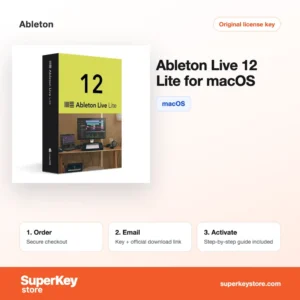
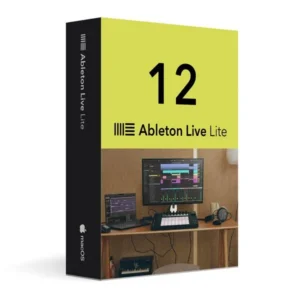
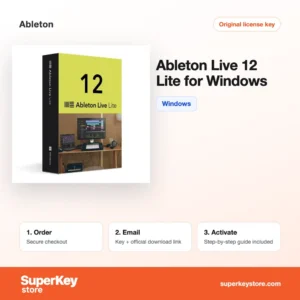
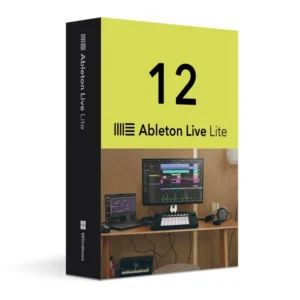
Buy Ableton Software Licenses at SuperKeyStore
Ableton is a Berlin software company known for Live, a digital audio workstation used for music production, sound design and live performance. This page lists the current Live 12 editions for Windows and macOS. Producers, DJs, songwriters and students who want to record, arrange and perform music on a computer use it.
You can choose between Ableton Live 12 Suite for Windows, Ableton Live 12 Suite for macOS and the smaller Ableton Live 12 Lite for Windows. After payment you receive a license key and a link to the official download by email, usually within minutes.
Why buy an Ableton license?
Live is built for both studio work and the stage, and it offers several practical advantages:
- Session View for ideas: Clips are arranged in a grid and can be launched in any order. This makes it easy to sketch songs and to improvise on stage.
- Arrangement View for finished tracks: A classic timeline lets you record audio and MIDI, edit takes and mix a complete song.
- Warping and time-stretching: Live adjusts the tempo of audio clips without changing pitch. Samples and loops therefore fit any project tempo.
- Instruments and effects included: Every edition ships with instruments, audio effects and sounds. Suite adds the largest collection, including Max for Live.
- Hardware integration: Live works with common MIDI keyboards and controllers, including Ableton Push, so you can play and mix without a mouse.
What are the main features of Ableton?
Live 12 adds new composition and browsing tools to the workflow Ableton is known for:
1. Session and Arrangement View
Live offers two views of the same project. Session View is a clip grid for improvising, and Arrangement View is a timeline for finishing songs, so you can move ideas from jam to track without exporting.
2. MIDI Transformations and Generators
Live 12 can create and vary melodies, rhythms and chords inside a MIDI clip. Songwriters who get stuck on an idea can generate variations and keep the ones that work.
3. Scales and tuning systems
Clips and devices can follow a project scale, and Live 12 supports alternative tuning systems. This helps players who are not trained in music theory and composers working outside Western tuning.
4. Sound browser with tags
The browser sorts sounds by tags such as character and instrument type, and can suggest similar sounds. Producers with large libraries find samples much faster.
5. Max for Live in Suite
Suite includes Max for Live, which lets you use and build custom instruments, effects and tools. Sound designers and performers get almost unlimited room to extend Live.
Which Ableton product is right for you?
Choose Live 12 Suite if you want the full feature set, and Live 12 Lite if you are starting out or need a compact tool for simple projects. Each license is sold for a specific operating system, so select the version that matches your computer.
| Produkt | Best for | Platform | Edition |
|---|---|---|---|
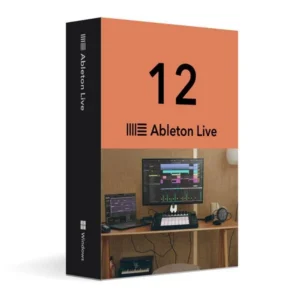
| Ableton Live 12 Suite for Windows | Professional production and sound design | Windows | Suite, full feature set |
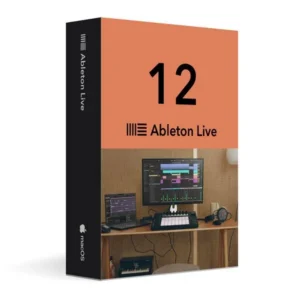
| Ableton Live 12 Suite for macOS | Professional production on a Mac | macOS | Suite, full feature set |
| Ableton Live 12 Lite for Windows | Beginners and small projects | Windows | Lite, limited track count |
| Ableton Live 12 Lite for macOS | First steps in music production on a Mac | macOS | Lite, limited track count |
What are the system requirements for Ableton?
Live 12 needs a recent 64-bit Windows or macOS computer; check each product's System Requirements tab for details.
| Komponent | Minimum |
|---|---|
| System operacyjny | Windows 10 or 11 (64-bit), or macOS 11 Big Sur or later |
| Procesor | Intel Core i5 or AMD multi-core processor; Apple silicon supported on Mac |
| Pamięć (RAM) | 8 GB |
| Miejsce na dysku | Several GB for the program; Suite needs far more if you install all included sound packs |
| Other | Internet connection for activation in your Ableton account, or offline activation from another computer |
How do you download and activate Ableton?
- Order: Add the Live 12 edition for your operating system to the cart and complete checkout.
- Receive the email: You get the license key and the download link by email, usually within minutes. In some cases a security check delays the email by up to 24 hours.
- Download: Install Live from Ableton's official website and sign in to or create your Ableton account.
- Activate: Register the key in your Ableton account and activate Live on your computer.
What happens to my Ableton license if I reinstall or format my computer?
Reinstalling Windows or macOS does not use up your license. Download Live again from your Ableton account, sign in and activate it on the computer. If you replace the computer, first deauthorise the old installation in your account so the activation slot is free.
Can I move a Ableton license to a new PC or Mac?
Yes, an Ableton license is linked to your Ableton account, not to one machine, and can be activated on a limited number of computers. Deauthorise the old computer in your account, then activate Live on the new one. The Windows and macOS editions on this page are sold separately, so choose the version for the computer you will use most.
What if my Ableton key does not work?
Email our support team with your order number and a screenshot of the error message. We will send a replacement key or issue a refund as set out in the Polityka zwrotów.
Frequently asked questions about Ableton
What is the difference between Live 12 Suite and Live 12 Lite?
Suite contains all instruments, effects, sound packs and Max for Live. Lite is an entry edition with fewer tracks and a smaller set of devices.
Is an Ableton Live license a subscription?
No, Ableton sells Live as a perpetual license for the major version you buy. Later major versions are offered by Ableton as paid upgrades.
Can I use Live on Windows and Mac?
Live runs on both systems, but the products on this page are listed per platform. Order the edition that matches the computer you will install it on.
On how many computers can I activate Live?
Ableton allows a license to be activated on a limited number of computers, typically two, for the same user. The current rules are listed in your Ableton account.
Can I upgrade from Lite to Suite later?
Yes, Ableton offers upgrade paths from Lite to the larger editions. Prices and conditions are set by Ableton on its website.
Does Live 12 work without an internet connection?
Yes, after activation Live runs offline. Activation itself can be done online or with an offline file created on another computer.
Is Ableton Live good for beginners?
Yes, Live 12 Lite is a common first DAW because the clip workflow is easy to learn. You can move to Suite when your projects grow.
Can I use VST and AU plug-ins in Live?
Yes, Live supports VST2 and VST3 plug-ins, and Audio Units on macOS. Lite also supports third-party plug-ins.
Does Live 12 support Apple silicon Macs?
Yes, Live 12 runs natively on Apple silicon Macs. It also runs on Intel Macs that meet the minimum requirements.
Browse Ableton by type
All Ableton products are part of Licencje na programy do wideo i muzyki. There you can also compare other tools for recording, editing and converting audio and video. For general questions, see the FAQ.
Co otrzymasz, kupując w SuperKeyStore licencje Ableton?
Otrzymasz e-mail z kluczem licencyjnym, oficjalnym linkiem do pobrania i instrukcją aktywacji krok po kroku. Każde zamówienie obejmuje:
- Klucz licencyjny: klucz produktu dla edycji, okresu i liczby urządzeń podanych na stronie produktu.
- Oficjalne pobieranie: link do instalatora na stronie producenta.
- Instrukcja aktywacji: kroki instalacji i aktywacji programu, dostępne także w zakładce „Pobieranie i aktywacja”.
- Historia zamówień: klucz pozostaje w e-mailu z potwierdzeniem oraz w sekcji Moje konto.
- Pomoc e-mailowa: pomoc przy instalacji lub aktywacji od naszego zespołu wsparcia.
Dlaczego warto kupować licencje na oprogramowanie w SuperKeyStore?
SuperKeyStore sprzedaje cyfrowe klucze licencyjne z dostawą e-mailem, bezpieczną płatnością i jasnymi zasadami postępowania w przypadku wadliwego klucza. Najważniejsze powody, dla których klienci zamawiają u nas:
- Dostawa cyfrowa: bez wysyłki; klucz zwykle dociera e-mailem w ciągu kilku minut od płatności, a niektóre zamówienia przechodzą kontrolę bezpieczeństwa trwającą do 24 godzin.
- Jasne informacje o produkcie: każda strona produktu podaje edycję, platformę, okres licencji i liczbę urządzeń.
- Wymiana lub zwrot pieniędzy: jeśli klucz nie działa, otrzymasz działający klucz lub zwrot pieniędzy, zgodnie z dokumentem Polityka zwrotów.
- Bezpieczna płatność: płatności obsługuje operator płatności; SuperKeyStore nie przechowuje pełnych danych karty.
Inne licencje na oprogramowanie w ofercie SuperKeyStore
SuperKeyStore sprzedaje także licencje z tych kategorii:
- Licencje Windows: Licencje Windows 11 · Licencje Windows 10
- Licencje Microsoft Office: Licencje Office 2024 · Licencje Microsoft Office na Maca · Licencje na Microsoft Word, Excel i aplikacje Office · Licencje Microsoft Project · Licencje Microsoft Visio
- Licencje Microsoft 365
- Licencje antywirusowe: Licencje antywirusowe Norton · Licencje antywirusowe McAfee · Licencje antywirusowe Bitdefender · Licencje antywirusowe ESET · Licencje antywirusowe Avast · Licencje antywirusowe AVG · Licencje antywirusowe Panda · Licencje VPN · Licencje na bezpieczeństwo firm
- Licencje Windows Server i CAL: Licencje CAL Windows Server i RDS CAL · Licencje Microsoft SQL Server · Licencje Exchange & SharePoint Server
- Licencje na programy CAD i 3D: Licencje na oprogramowanie Autodesk · Licencje Graphisoft Archicad · Licencje SolidWORKS
- Licencje na programy do grafiki i zdjęć: Licencje na oprogramowanie Adobe · Licencje CorelDRAW
- Licencje na PDF i narzędzia biurowe
- Licencje na programy do kopii zapasowych i odzyskiwania danych
- Licencje na programy do wideo i muzyki
- Licencje na programy do wirtualizacji
- Pakiety Office i Windows