
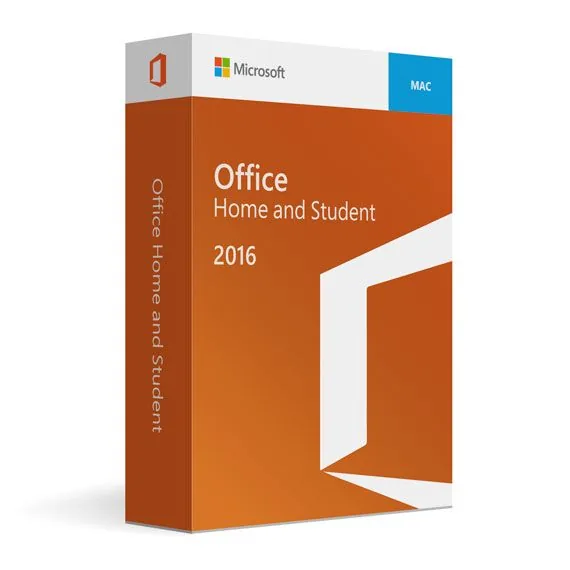
Office Home and Student 2016 for Mac
180,99 zł
Office Home and Student 2016 for Mac
Dostępny
Dostawa e-mailem, zwykle w ciągu kilku minut od płatności
Najważniejsze funkcje
Buy Office Home and Student 2016 for Mac License Key on SuperKeyStore: original product key, free technical support and a replacement-or-refund guarantee for faulty keys. Word, Excel, PowerPoint and OneNote 2016 for Mac with Retina display support, full-screen view and offline use for school and home tasks. Delivered by email, usually within minutes of payment.
Buy Office Home and Student 2016 for Mac
You get an Office Home and Student 2016 for Mac license key (one-time purchase), the download link and activation steps by email. Office Home and Student 2016 for Mac is a one-time-purchase edition of Microsoft Office 2016 for macOS with Word, Excel, PowerPoint and OneNote for students and home users. No box or DVD is shipped.
| Szczegół | Wartość |
|---|---|
| Produkt | Office Home and Student 2016 for Mac |
| Producent | Microsoft |
| Kategoria | Office 2016 |
| Platform | macOS |
| Licencja | Licencja bezterminowa (jednorazowy zakup) |
| Dostawa | License key and download link by email |
What is included in Office Home and Student 2016 for Mac?
Office Home and Student 2016 for Mac includes Word, Excel, PowerPoint and OneNote. The apps are designed for macOS and are installed locally on the Mac. They work offline. The package contains:
- Word 2016: formats text, inserts images and tables and supports document review.
- Excel 2016: organizes data with spreadsheets, formulas and charts.
- PowerPoint 2016: builds presentations with templates, transitions and media.
- OneNote 2016: stores notes and information in digital notebooks.
Which Mac features does Office 2016 support?
Office 2016 for Mac supports Retina displays, full-screen view and multitouch gestures. The interface follows the macOS design. Users who know Office on Windows find the same ribbon and commands. Documents are compatible with Office files created on Windows PCs.
What is the difference between Home and Student and Home and Business 2016 for Mac?
Home and Business adds Outlook and allows commercial use; Home and Student does not. The table compares the two Mac editions:
| Szczegół | Home and Student 2016 | Home and Business 2016 |
|---|---|---|
| Word, Excel, PowerPoint, OneNote | Yes | Yes |
| Outlook | No | Yes |
| Commercial use | No | Yes |
Small business owners on a Mac can choose Office 2016 Home & Business for MAC.
Who should use Office Home and Student 2016 for Mac?
This edition suits students and families who need basic office apps on a Mac. It handles essays, school projects, home budgets and presentations. Windows users need Office 2016 Home & Student for Windows PC instead. Other editions are listed in the Office 2016 category.
Why buy Office Home and Student 2016 for Mac from SuperKeyStore?
Buying Office Home and Student 2016 for Mac at SuperKeyStore includes:
- Original license: an original Office Home and Student 2016 for Mac license key, activated through Microsoft’s official activation.
- One-time purchase: pay once and keep using Office Home and Student 2016 for Mac. No subscription like Microsoft 365.
- Platform: macOS.
- Email delivery: the license key and the official download link arrive by email, usually within minutes of payment (some orders get a security check of up to 24 hours).
- Free technical support: our team helps by email with installation and activation ([email protected]).
- Wymiana lub zwrot pieniędzy: if the key does not work, you get a working key or your money back, as set out in our Polityka zwrotów.
How do you redeem your Office Home and Student 2016 for Mac key?
You redeem the key in a few steps after the order email arrives. The redemption guide for Office Home and Student 2016 for Mac is:
- Remove older Office versions from the Applications folder.
- Follow the link in your order email: sign in with (or create) a free Microsoft account and enter your 25-character product key.
- Download the installer for your Mac and run it.
- Open Word and sign in with the same Microsoft account to activate.
Your key also stays in your order email and under Moje konto.
Wymagania systemowe
| System operacyjny | macOS 10.10 Yosemite or later (older Office version; may not run on the newest macOS) |
|---|---|
| Procesor | Intel processor or Apple silicon (M1 or later) |
| Pamięć (RAM) | 4 GB |
| Dysk twardy | 6 GB of free space (HFS+ or APFS formatted) |
| Ekran | 1280 x 800 resolution |
| Microsoft support | Ended October 13, 2020 |
| Internet | Required for download and activation |
Pobieranie i aktywacja
Download Office Home and Student 2016 for Mac with SuperKeyStore
Buying Office Home and Student 2016 for Mac takes a minute: add it to your cart, pay through our secure, encrypted checkout and you receive your product key and the official download link by email, usually within minutes. Everything you need is in your order email, together with these instructions.
How to install and activate Office Home and Student 2016 for Mac
- Remove older Office versions from the Applications folder.
- Follow the link in your order email: sign in with (or create) a free Microsoft account and enter your 25-character product key.
- Download the installer for your Mac and run it.
- Open Word and sign in with the same Microsoft account to activate.
Stuck at any step? Email [email protected] with your order number and a screenshot. Our support is free, and if a key does not work we send a replacement or refund you, as set out in our Polityka zwrotów.
Why choose Office Home and Student 2016 for Mac
Office Home and Student 2016 for Mac is a one-time purchase: you pay once and keep your Office apps without a monthly fee. The apps are installed on your computer, work offline and save files wherever you choose.
More software at SuperKeyStore
Popular with this product: Microsoft 365 Personal, Office 2024 Home & Business for Mac & Windows, Norton 360 Deluxe. Browse all Windows, Microsoft Office, antivirus software, money-saving bundles i Microsoft apps.
Dostawa cyfrowa
All our products are delivered digitally by email: no shipping costs, no waiting for a parcel and no packaging waste. Your key is stored in your order email and, if you created one, in your account, so you can find it again at any time.
FAQ
Is Office Home and Student 2016 a subscription?
No. Office Home and Student 2016 is a one-time purchase (lifetime license). You pay once and keep using it without monthly fees.
Which apps are included?
Office Home and Student 2016 includes Word, Excel, PowerPoint and OneNote.
On how many computers can I install it?
On one computer (a Mac). For more computers, buy one key per computer.
Does it work on Windows?
No, this is the Mac edition. For Windows, choose a Windows edition of Office.
Is Office 2016 still supported by Microsoft?
Microsoft ended Office 2016 support on October 13, 2020. It keeps working normally, but no longer receives security updates. If updates matter to you, consider Office 2024 or Microsoft 365.
Do I need an internet connection?
Only to download and activate. After activation the apps work offline.
What happens if I replace my computer?
Uninstall Office from the old computer first, then install it on the new one with the same key. If activation fails, contact us and we will help.
Kiedy otrzymam klucz?
By email, usually within minutes of payment. Some orders go through a short security check that can take up to 24 hours. Please check your spam folder too.
Co zrobić, jeśli klucz nie działa?
Email us your order number and a screenshot of the error. We send a replacement or refund you, as described in our Polityka zwrotów.
Masz więcej pytań? Zobacz FAQ, Polityka zwrotów lub skontaktuj się z nami.
- Bezpłatna pomocE-mailem
- Szybka dostawaZwykle w ciągu kilku minut
- Bezpieczne płatnościSzyfrowana płatność
- Licencje cyfroweOficjalna aktywacja
- Wadliwy klucz?Wymiana lub zwrot pieniędzy
Opinie
Nie ma jeszcze opinii.