
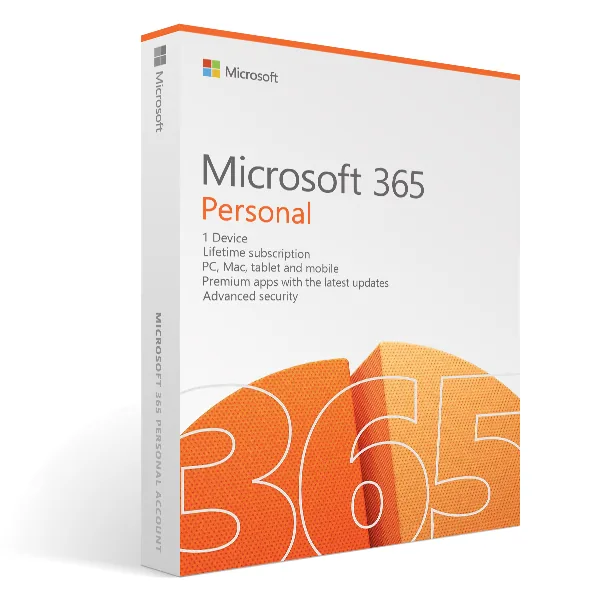
Office 365 Personal license
€29.98
Office 365 Personal
Delivered by email, usually within minutes of payment
Key Features
Buy Office 365 Personal License Key on SuperKeyStore: original product key, free technical support and a replacement-or-refund guarantee for faulty keys. Word, Excel, PowerPoint, Outlook and OneNote for one person on up to five devices, with 1 TB of OneDrive storage and ongoing feature updates. Delivered by email, usually within minutes of payment.
Buy Office 365 Personal
You get an Office 365 Personal license key, the download link and activation steps by email. Office 365 Personal is a Microsoft subscription plan for one person with the latest Word, Excel, PowerPoint, Outlook and OneNote on up to five devices and 1 TB of OneDrive storage. No box or DVD is shipped.
| Detail | Value |
|---|---|
| Product | Office 365 Personal license |
| Developer | Microsoft |
| Category | Microsoft 365 |
| Delivery | License key and download link by email |
What is Office 365 Personal?
Office 365 Personal is Microsoft’s Office subscription for one user. Microsoft now sells this plan under the name Microsoft 365 Personal. It includes the current desktop and mobile Office apps and cloud storage. Unlike one-time editions such as Office 2021 or Office 2024, the apps receive new features during the subscription.
What is included in Office 365 Personal?
The plan includes the main Office apps and 1 TB of OneDrive storage for one person. The package contains:
- Word: writes and formats documents.
- Excel: builds spreadsheets and analyses data.
- PowerPoint: creates presentations.
- Outlook: manages email, calendars and contacts.
- OneNote: stores notes in digital notebooks.
- OneDrive: 1 TB of cloud storage for files and backups.
On how many devices can you use Office 365 Personal?
One user can sign in on up to five devices at the same time. Supported devices include Windows PCs, Macs, tablets and smartphones. Files saved in OneDrive are available on every signed-in device.
What is the difference between Office 365 Personal and Family?
Personal covers one user, while Family covers up to six users with their own accounts and storage. The table compares the plans:
| Plan | Users | OneDrive storage |
|---|---|---|
| Office 365 Personal | 1 | 1 TB |
| Office 365 Family | Up to 6 | 1 TB per user |
Households can choose Office 365 Family US (12 Months). A single user who also wants security software can compare Microsoft 365 Personal + McAfee Total Protection – 1 Year – 1 Device.
Why buy Office 365 Personal from SuperKeyStore?
Buying Office 365 Personal at SuperKeyStore includes:
- Original license: an original Office 365 Personal license key, activated through Microsoft’s official activation.
- Email delivery: the license key and the official download link arrive by email, usually within minutes of payment (some orders get a security check of up to 24 hours).
- Free technical support: our team helps by email with installation and activation ([email protected]).
- Replacement or refund: if the key does not work, you get a working key or your money back, as set out in our Refund Policy.
How do you redeem your Office 365 Personal key?
You redeem the key in a few steps after the order email arrives. The redemption guide for Office 365 Personal is:
- Go to microsoft365.com/setup and sign in with (or create) a free Microsoft account.
- Enter your 25-character product key: the subscription is added to your account.
- Click Install apps to download Office for Windows or Mac; on phones and tablets, install the apps from the App Store or Google Play and sign in.
Your key also stays in your order email and under My account.
System Requirements
| Windows | Windows 10 or Windows 11 |
|---|---|
| Mac | One of the three most recent macOS versions (Intel or Apple silicon) |
| Mobile | Current versions of iOS, iPadOS and Android |
| Processor | Windows: 1.1 GHz or faster, 2 cores; Mac: Intel or Apple silicon |
| Memory (RAM) | 4 GB |
| Hard disk | 4 GB (Windows), 10 GB (Mac) |
| Display | 1280 x 768 (Windows), 1280 x 800 (Mac) |
| Internet | Required for installation, activation and regular sign-in |
| Account | Free Microsoft account required |
Download & Activation
Download Office 365 Personal license with SuperKeyStore
Buying Office 365 Personal license takes a minute: add it to your cart, pay through our secure, encrypted checkout and you receive your product key and the official download link by email, usually within minutes. Everything you need is in your order email, together with these instructions.
How to install and activate Office 365 Personal license
- Go to microsoft365.com/setup and sign in with (or create) a free Microsoft account.
- Enter your 25-character product key: the subscription is added to your account.
- Click Install apps to download Office for Windows or Mac; on phones and tablets, install the apps from the App Store or Google Play and sign in.
Stuck at any step? Email [email protected] with your order number and a screenshot. Our support is free, and if a key does not work we send a replacement or refund you, as set out in our Refund Policy.
Why choose Office 365 Personal license
Office 365 Personal license is a subscription: you always get the latest Word, Excel, PowerPoint and Outlook, 1 TB of OneDrive cloud storage per person and apps for Windows, Mac, iOS and Android. Your files stay in sync between your computer, tablet and phone.
More software at SuperKeyStore
Popular with this product: Office 2024 Professional Plus, Office 2024 Home & Business for Mac & Windows, Norton 360 Deluxe. Browse all antivirus software and money-saving bundles.
Digital delivery
All our products are delivered digitally by email: no shipping costs, no waiting for a parcel and no packaging waste. Your key is stored in your order email and, if you created one, in your account, so you can find it again at any time.
FAQ
Is Office 365 Personal license a subscription?
Yes. It runs for the period shown in the product name and can be renewed afterwards. There is no automatic payment through SuperKeyStore.
How many people and devices can use it?
1 person, signed in on up to 5 devices at the same time (PCs, Macs, tablets and phones), with 1 TB of OneDrive storage.
Which apps are included?
Word, Excel, PowerPoint, Outlook, OneNote and OneDrive, plus Access and Publisher on Windows PCs. Apps are always the latest version.
Can I add this to my existing Microsoft 365 subscription?
Yes. Redeem the key with the same Microsoft account and the time is added to your current subscription (up to Microsoft's maximum of 5 years).
Does it work on Mac, iPhone and Android?
Yes. Microsoft 365 works on Windows, Mac, iOS, iPadOS and Android.
How fast will I receive my key?
By email, usually within minutes of payment. Some orders go through a short security check that can take up to 24 hours. Please check your spam folder too.
What if my key does not work?
Email us your order number and a screenshot of the error. We send a replacement or refund you, as described in our Refund Policy.
More questions? See our FAQ, Refund Policy or contact us.
- Free supportBy email
- Instant deliveryKey in minutes
- Secure paymentsEncrypted checkout
- Genuine licensesOfficial activation
- Working-key guaranteeReplacement or refund
Chosen for you
View all Microsoft 365 Personal + McAfee Total Protection – 1 Year – 1 Device Original price was: €149.98.€99.98Current price is: €99.98.+ Add
 Microsoft 365 Personal (12 Months) Original price was: €89.98.€69.98Current price is: €69.98.+ Add
 Microsoft Exchange Online (Plan 1) (NCE)€52.98+ Add
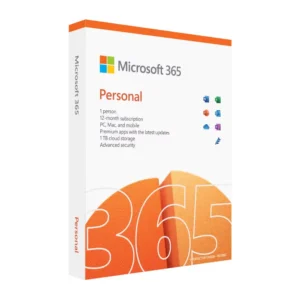 Microsoft 365€16.98+ Add
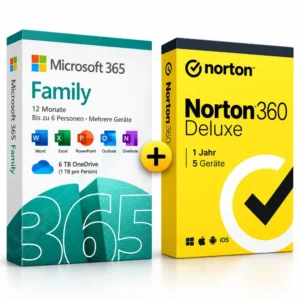 Microsoft 365 Family + Norton 360 Deluxe – 1 Year – 5 Devices Original price was: €199.98.€129.98Current price is: €129.98.+ Add
Reviews
There are no reviews yet.