
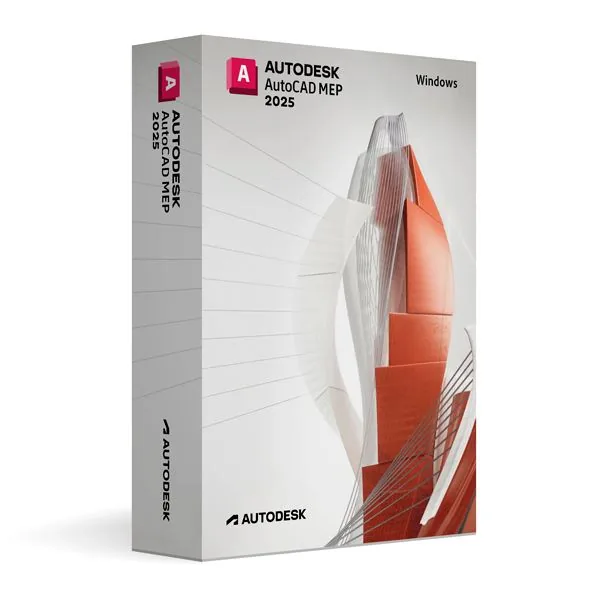
Autodesk AutoCAD MEP 2025 for Windows (Education)
412,99 zł
AutoCAD MEP 2025 (Education)
Dostępny
Dostawa e-mailem, zwykle w ciągu kilku minut od płatności
Najważniejsze funkcje
Buy AutoCAD MEP 2025 for Windows (Education) License Key on SuperKeyStore: original product key, free technical support and a replacement-or-refund guarantee for faulty keys. Ducts, pipes, conduits and wiring as intelligent objects, with automatic schedules for building services design. Delivered by email, usually within minutes of payment.
Buy AutoCAD MEP 2025 for Windows (Education)
You get an AutoCAD MEP 2025 for Windows (Education) license key, the download link and activation steps by email. AutoCAD MEP 2025 for Windows (Education) is Autodesk’s AutoCAD toolset for mechanical, electrical and plumbing building design on Windows, licensed for personal, non-commercial educational use. No box or DVD is shipped.
| Szczegół | Wartość |
|---|---|
| Produkt | Autodesk AutoCAD MEP 2025 for Windows (Education) |
| Producent | Autodesk |
| Kategoria | AutoCAD |
| Platform | Windows |
| Dostawa | License key and download link by email |
What does AutoCAD MEP 2025 do?
AutoCAD MEP 2025 designs and documents the mechanical, electrical and plumbing systems of buildings. It adds building services tools to the standard AutoCAD interface. The key features are:
- Intelligent objects: represents ducts, pipes, conduits and wiring as real components.
- HVAC design: lays out ductwork and air systems.
- Plumbing design: plans water supply and drainage pipes.
- Electrical design: places circuits, panels and devices.
- Schedules and annotations: creates lists and labels from the model automatically.
Who should use the AutoCAD MEP 2025 educational edition?
This edition is for students and teachers in building services engineering. It is licensed for personal, non-commercial use. It includes the full professional feature set with no output restrictions. Architects, engineers and contractors in training can practice coordinating building systems.
What is the difference between AutoCAD MEP 2025 and AutoCAD 2025?
AutoCAD MEP adds building services objects and tools to the general AutoCAD drafting program. The table compares the two:
| Feature | AutoCAD MEP 2025 | AutoCAD 2025 |
|---|---|---|
| 2D drafting and 3D modeling | Yes | Yes |
| Duct, pipe and conduit objects | Yes | No |
| Automatic MEP schedules | Yes | No |
Users who need general CAD only can choose Autodesk AutoCAD 2025 for Windows. Related toolsets are in the AutoCAD category.
How does AutoCAD MEP 2025 work with other software?
AutoCAD MEP 2025 saves DWG files and exchanges data with other Autodesk products. It also supports common industry formats. Built-in checks help detect clashes between systems early.
Why buy AutoCAD MEP 2025 for Windows (Education) from SuperKeyStore?
Buying AutoCAD MEP 2025 for Windows (Education) at SuperKeyStore includes:
- Original license: an original AutoCAD MEP 2025 for Windows (Education) license key, activated through Autodesk’s official activation.
- Education license: for students and teachers, for personal and non-commercial use.
- Platform: Windows.
- Email delivery: the license key and the official download link arrive by email, usually within minutes of payment (some orders get a security check of up to 24 hours).
- Free technical support: our team helps by email with installation and activation ([email protected]).
- Wymiana lub zwrot pieniędzy: if the key does not work, you get a working key or your money back, as set out in our Polityka zwrotów.
How do you redeem your AutoCAD MEP 2025 for Windows (Education) key?
You redeem the key in a few steps after the order email arrives. The redemption guide for AutoCAD MEP 2025 for Windows (Education) is:
- Open your order email: it contains your license details and the instructions for your Autodesk account.
- Sign in to (or create) your free Autodesk account at accounts.autodesk.com as described in the email.
- Download AutoCAD MEP from your Autodesk account (Products and Services) or with the official link in your email.
- Run the installer, then start AutoCAD MEP and sign in with the same Autodesk account to activate it.
Your key also stays in your order email and under Moje konto.
Wymagania systemowe
| System operacyjny | Windows 11 or Windows 10 (64-bit) |
|---|---|
| Procesor | 2.5-2.9 GHz (3+ GHz recommended) |
| Memory RAM | 8 GB (32 GB recommended) |
| Miejsce na dysku | 16 GB or more (SSD recommended) |
| Graphics | 4 GB GPU with DirectX 12 (8 GB recommended) |
| Ekran | 1920 x 1080 with True Color |
| Internet | Required for download and activation |
Pobieranie i aktywacja
Download Autodesk AutoCAD MEP 2025 for Windows with SuperKeyStore
Buying Autodesk AutoCAD MEP 2025 for Windows takes a minute: add it to your cart, pay through our secure, encrypted checkout and you receive your product key and the official download link by email, usually within minutes. Everything you need is in your order email, together with these instructions.
How to install and activate Autodesk AutoCAD MEP 2025 for Windows
- Open your order email: it contains your license details and the instructions for your Autodesk account.
- Sign in to (or create) your free Autodesk account at accounts.autodesk.com as described in the email.
- Download AutoCAD MEP from your Autodesk account (Products and Services) or with the official link in your email.
- Run the installer, then start AutoCAD MEP and sign in with the same Autodesk account to activate it.
Stuck at any step? Email [email protected] with your order number and a screenshot. Our support is free, and if a key does not work we send a replacement or refund you, as set out in our Polityka zwrotów.
Why choose Autodesk AutoCAD MEP 2025 for Windows
AutoCAD MEP is a industry-specific AutoCAD toolset for architects, electrical, mechanical, MEP, plant and GIS professionals and students. Highlights: 10,500+ intelligent mechanical, electrical and plumbing objects; Draft ductwork, piping and circuits in 2D and 3D; Construction documents from the same model.
More software at SuperKeyStore
Popular with this product: Windows 11 Pro, Office 2024 Professional Plus, Microsoft 365 Personal. Browse all Microsoft Office, antivirus software, money-saving bundles i Microsoft apps.
Dostawa cyfrowa
All our products are delivered digitally by email: no shipping costs, no waiting for a parcel and no packaging waste. Your key is stored in your order email and, if you created one, in your account, so you can find it again at any time.
FAQ
What is an educational license?
It is a license for personal, non-commercial use such as learning, teaching and personal projects. AutoCAD MEP has the full functionality of the commercial version and the output is identical, without watermarks.
Can I use it for commercial work?
No. The educational license may not be used for paid or commercial projects. Contact us if you need a commercial license.
Which operating system does it run on?
This edition runs on Windows. It does not run on macOS; choose the matching edition for another system.
On how many computers can I use it?
The license is for 1 user. Contact us before buying if you need licenses for several people.
Where do I download the software?
From the official Autodesk website or the official link in your order email. The Download & Activation tab explains every step.
Do I need an internet connection?
Yes, to download and activate the software and to sign in regularly.
Kiedy otrzymam klucz?
By email, usually within minutes of payment. Some orders go through a short security check that can take up to 24 hours. Please check your spam folder too.
Co zrobić, jeśli klucz nie działa?
Email us your order number and a screenshot of the error. We send a replacement or refund you, as described in our Polityka zwrotów.
Masz więcej pytań? Zobacz FAQ, Polityka zwrotów lub skontaktuj się z nami.
- Bezpłatna pomocE-mailem
- Szybka dostawaZwykle w ciągu kilku minut
- Bezpieczne płatnościSzyfrowana płatność
- Licencje cyfroweOficjalna aktywacja
- Wadliwy klucz?Wymiana lub zwrot pieniędzy
Wybrane dla Ciebie
Zobacz wszystko Autodesk AutoCAD Plant 3D 2024 for Windows (Education)294,99 zł+ Dodaj
 Autodesk Navisworks Manage 2024 for Windows (Education)294,99 zł+ Dodaj
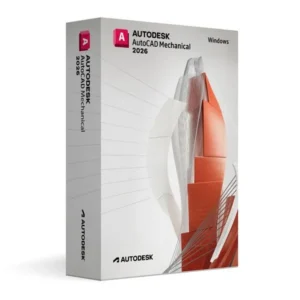 Autodesk AutoCAD Mechanical 2026 for Windows (Education)531,99 zł+ Dodaj
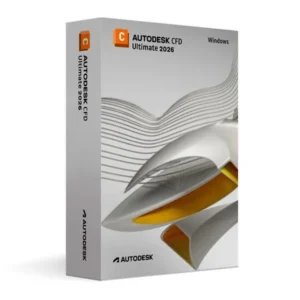 Autodesk CFD Ultimate 2026 for Windows (Education)531,99 zł+ Dodaj
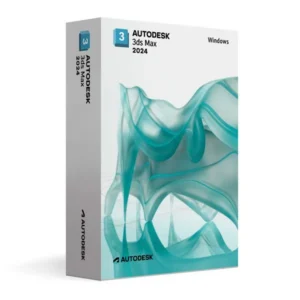 Autodesk 3ds Max 2024 for Windows (Education)294,99 zł+ Dodaj
Opinie
Nie ma jeszcze opinii.