
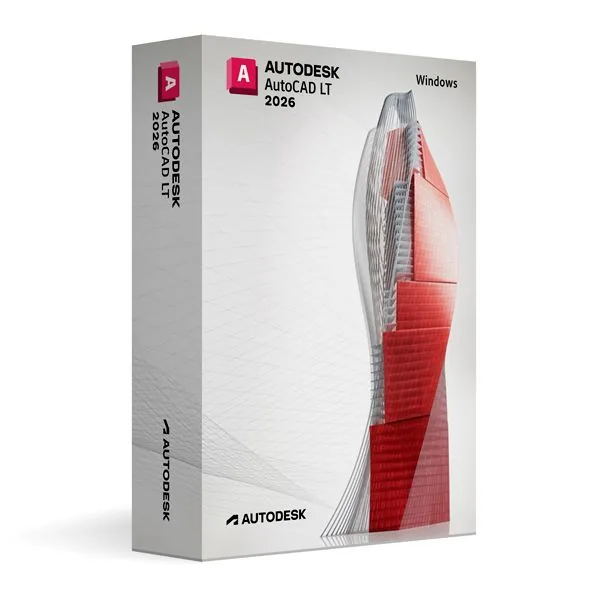
Autodesk AutoCAD LT 2026 for Windows (Education)
531,99 zł
AutoCAD LT 2026 (Education)
Dostępny
Dostawa e-mailem, zwykle w ciągu kilku minut od płatności
Najważniejsze funkcje
Buy Autodesk AutoCAD LT 2026 for Windows (Education) License Key on SuperKeyStore: original product key, free technical support and a replacement-or-refund guarantee for faulty keys. Precise 2D drafting with lines, polylines, layers, text annotation and custom tool palettes for plans, schematics and diagrams. Delivered by email, usually within minutes of payment.
Buy Autodesk AutoCAD LT 2026 for Windows (Education)
You get an Autodesk AutoCAD LT 2026 for Windows (Education) license key, the download link and activation steps by email. Autodesk AutoCAD LT 2026 for Windows (Education) is an educational license of Autodesk’s 2D drafting and documentation software for Windows, for personal non-commercial use. No box or DVD is shipped.
| Szczegół | Wartość |
|---|---|
| Produkt | Autodesk AutoCAD LT 2026 for Windows (Education) |
| Producent | Autodesk |
| Kategoria | AutoCAD |
| Platform | Windows |
| Dostawa | License key and download link by email |
What is AutoCAD LT 2026 for Windows?
AutoCAD LT 2026 is Autodesk’s software for precise 2D drafting and documentation. It runs on Windows PCs. This edition is an educational license for personal and non-commercial use. It offers the same features as the commercial version and produces output without watermarks.
What can you do with AutoCAD LT 2026?
AutoCAD LT creates and edits accurate technical drawings in 2D. Its main tools are:
- Drawing tools: create lines, shapes, polylines and arcs with exact values.
- Editing tools: move, copy, trim and scale drawing objects.
- Annotation: adds text, dimensions and notes to drawings.
- Tool palettes: keep frequently used tools and blocks within reach.
- Command line: lets experienced users enter commands quickly.
Typical results are floor plans, schematics, technical drawings and diagrams.
Who can use the educational license?
The educational license is for students, teachers and individuals who learn 2D CAD. It suits classes in architecture, engineering and technical drawing. Commercial drafting work requires a commercial license.
What is the difference between AutoCAD LT and full AutoCAD?
AutoCAD LT is limited to 2D work, while full AutoCAD adds 3D modeling and automation. The table compares both products:
| Szczegół | AutoCAD LT 2026 | AutoCAD 2026 |
|---|---|---|
| 2D drafting and annotation | Yes | Yes |
| 3D modeling | No | Yes |
| Specialized toolsets and add-ons | No | Yes |
Users who need 3D can compare Autodesk AutoCAD 2026 for Windows. Mac users can choose Autodesk AutoCAD LT 2026 for MacOS.
Why buy Autodesk AutoCAD LT 2026 for Windows (Education) from SuperKeyStore?
Buying Autodesk AutoCAD LT 2026 for Windows (Education) at SuperKeyStore includes:
- Original license: an original Autodesk AutoCAD LT 2026 for Windows (Education) license key, activated through Autodesk’s official activation.
- Education license: for students and teachers, for personal and non-commercial use.
- Platform: Windows.
- Email delivery: the license key and the official download link arrive by email, usually within minutes of payment (some orders get a security check of up to 24 hours).
- Free technical support: our team helps by email with installation and activation ([email protected]).
- Wymiana lub zwrot pieniędzy: if the key does not work, you get a working key or your money back, as set out in our Polityka zwrotów.
How do you redeem your Autodesk AutoCAD LT 2026 for Windows (Education) key?
You redeem the key in a few steps after the order email arrives. The redemption guide for Autodesk AutoCAD LT 2026 for Windows (Education) is:
- Open your order email: it contains your license details and the instructions for your Autodesk account.
- Sign in to (or create) your free Autodesk account at accounts.autodesk.com as described in the email.
- Download AutoCAD LT from your Autodesk account (Products and Services) or with the official link in your email.
- Run the installer, then start AutoCAD LT and sign in with the same Autodesk account to activate it.
Your key also stays in your order email and under Moje konto.
Wymagania systemowe
| System operacyjny | Windows 11 or Windows 10 (64-bit) |
|---|---|
| Procesor | 2.5-2.9 GHz (3+ GHz recommended), ARM processors not supported |
| Memory RAM | 8 GB (16 GB recommended) |
| Miejsce na dysku | 7 GB (SSD recommended) |
| Graphics | 2 GB GPU with DirectX 11 (8 GB recommended) |
| Ekran | 1920 x 1080 with True Color |
| Internet | Required for download and activation |
Pobieranie i aktywacja
Download Autodesk AutoCAD LT 2026 for Windows with SuperKeyStore
Buying Autodesk AutoCAD LT 2026 for Windows takes a minute: add it to your cart, pay through our secure, encrypted checkout and you receive your product key and the official download link by email, usually within minutes. Everything you need is in your order email, together with these instructions.
How to install and activate Autodesk AutoCAD LT 2026 for Windows
- Open your order email: it contains your license details and the instructions for your Autodesk account.
- Sign in to (or create) your free Autodesk account at accounts.autodesk.com as described in the email.
- Download AutoCAD LT from your Autodesk account (Products and Services) or with the official link in your email.
- Run the installer, then start AutoCAD LT and sign in with the same Autodesk account to activate it.
Stuck at any step? Email [email protected] with your order number and a screenshot. Our support is free, and if a key does not work we send a replacement or refund you, as set out in our Polityka zwrotów.
Why choose Autodesk AutoCAD LT 2026 for Windows
AutoCAD LT is a 2D CAD drafting software for architects, engineers, technicians, students and anyone who produces detailed 2D drawings. Highlights: Precise 2D drafting, dimensioning and annotation tools; Native DWG file format, compatible with every AutoCAD product; Blocks, layers, xrefs and dynamic blocks to work faster.
More software at SuperKeyStore
Popular with this product: Windows 11 Pro, Office 2024 Professional Plus, Microsoft 365 Personal. Browse all Microsoft Office, antivirus software, money-saving bundles i Microsoft apps.
Dostawa cyfrowa
All our products are delivered digitally by email: no shipping costs, no waiting for a parcel and no packaging waste. Your key is stored in your order email and, if you created one, in your account, so you can find it again at any time.
FAQ
What is an educational license?
It is a license for personal, non-commercial use such as learning, teaching and personal projects. AutoCAD LT has the full functionality of the commercial version and the output is identical, without watermarks.
Can I use it for commercial work?
No. The educational license may not be used for paid or commercial projects. Contact us if you need a commercial license.
Which operating system does it run on?
This edition runs on Windows. It does not run on macOS; choose the matching edition for another system.
On how many computers can I use it?
The license is for 1 user. Contact us before buying if you need licenses for several people.
Where do I download the software?
From the official Autodesk website or the official link in your order email. The Download & Activation tab explains every step.
Do I need an internet connection?
Yes, to download and activate the software and to sign in regularly.
Kiedy otrzymam klucz?
By email, usually within minutes of payment. Some orders go through a short security check that can take up to 24 hours. Please check your spam folder too.
Co zrobić, jeśli klucz nie działa?
Email us your order number and a screenshot of the error. We send a replacement or refund you, as described in our Polityka zwrotów.
Masz więcej pytań? Zobacz FAQ, Polityka zwrotów lub skontaktuj się z nami.
- Bezpłatna pomocE-mailem
- Szybka dostawaZwykle w ciągu kilku minut
- Bezpieczne płatnościSzyfrowana płatność
- Licencje cyfroweOficjalna aktywacja
- Wadliwy klucz?Wymiana lub zwrot pieniędzy
Opinie
Nie ma jeszcze opinii.